
How to Survive Blackouts: 2026 Energy Backup Guide
How to Survive Blackouts in 2026: Complete Backup Power Guide. What to buy first, how much to spend and what mistakes to avoid. Come in and put together your plan.

TL;DR
Surviving a blackout without suffering does not depend on a single miraculous device: it depends on putting together a layered system—flashlight, power bank, power station and, if applicable, plant—depending on how long the outage lasts and what you need to keep alive.
I've got my power company's outage hotline memorized like it's a buddy's cell number, and honestly I've lost count of how many times I've had to build and rebuild my energy "war kit" over the past few years. At BaratongoVzla we test backup gear constantly, not because it's trendy, but because here a blackout hits you mid-work call, with a full fridge, or worse: with the baby asleep and the fan dying at 2am. This isn't some theory piece written from a country with stable grid power. This is the guide I actually use myself, dialed in through trial and error (literally — I once tripped over a UPS cable in the dark). Let's get practical: what you need, in what order, and why buying without a plan is just flushing money down the drain.
Why Venezuelan blackouts stopped being a "one-hour thing"
A few years back, a typical blackout was a 45-minute nuisance: the power would cut, you'd light a candle, grumble for a bit, and it'd come back. That mental model doesn't apply anymore in 2026. The national grid is still running on a structural deficit of generation capacity and years of deferred maintenance, and what used to be isolated failures are now recurring cycles: scheduled outages in some areas, unplanned failures in others, and that special flavor where the power flickers on and off several times in one night, like the grid itself is deciding whether it's even worth staying on.
Here's the number that matters: the average length of a significant outage isn't measured in minutes anymore, it's measured in hours. In several regions outside the capital (Zulia, Táchira, parts of the Andes), 6, 8, or even 12-hour blackouts stopped being news and became routine. Caracas fares a bit better thanks to distribution priority, but "better" is a relative term when your baseline is a 10-hour outage.
That completely changes how you should prepare. A flashlight with batteries gets you through a 45-minute blackout. It does nothing for an 8-hour outage where you need the router running because you work remote, the fridge cold because you've got medication that needs refrigeration, or a family member's CPAP machine running all night. Bottom line: the question isn't "do I have a flashlight?" anymore. It's "how many hours of real backup power do I need, and for which specific devices?"
There's another factor that complicates things further: frequency. This isn't an isolated outage every couple of months — it's cycles repeating several times a week during dry season (when water levels drop at the Guri dam) or during heavy rain season (when transmission lines fail). That means your backup system can't be something you keep "for emergencies." It has to become part of your household routine, right up there with a water filter or a gas tank.
Mistake number one: buying gear before you know what you actually need
This is where I see most people trip up, and I'm calling it out bluntly because I fell into this trap myself the first time around: someone panics after a brutal blackout, runs out to buy "whatever has batteries," and ends up with a giant power bank that can't even start a blender, or an oversized generator that burns through more gas than they can get in the fuel line.
The root problem is people buy out of fear, not out of math. It's like buying shoes without knowing your size: it might look great in the display case, but when you actually need it, it's either too tight or way too loose. Before you spend a dime on backup power gear, do an honest inventory of three things: which devices are non-negotiable (router, fridge, refrigerated medication, CPAP, minimum lighting), how much power each one draws (measured in watts — check the label or the manual), and how many hours of runtime you actually need based on your area's outage pattern.
A classic mistake: buying a power bank with a massive capacity rating thinking it'll "handle everything," without checking its actual power output. A power bank can have a huge milliamp-hour rating and still cap out at 65W output — plenty for charging a phone and laptop, but useless if you want to run a standing fan or a router/modem combo that draws more than you'd expect. It's like buying a giant water tank and hooking it up to a straw-sized hose: capacity means nothing if the flow can't keep up.
Another common mistake is not separating "I don't want my food to spoil" from "I want to keep working like nothing happened." Those are completely different needs with completely different solutions and different budget tiers. Keeping a fridge cold through an 8-hour blackout requires a power station with several hundred watt-hours of capacity, while just charging your phone and having decent light can be handled with much more affordable, compact gear. Buying more than you need is wasted money; buying less than you need leaves you in the dark holding an expensive gadget that can't do the one job you bought it for.
My practical advice: grab a pen and paper (or the notes app on your phone, which still works fine on battery) and write down every critical device, its wattage, and how many hours you want it to last. That 20-minute exercise saves you from buying the wrong gear and gives you a clear target for the next layers of this guide.
Layer 1: the basics every home should have, no excuses
Before we get into fancy power stations or backup generators, there's a baseline every Venezuelan household should already have covered — no "I'll buy that later" excuses. This layer is cheap, takes up almost no space, and it's the difference between a manageable blackout and a full night of chaos.
A quality rechargeable LED flashlight. Forget battery-powered flashlights that die exactly when you need them most. A USB-rechargeable LED flashlight with at least 500 lumens and a few brightness modes gives you reliable light for hours. The detail that actually matters: get one with a USB-C port (not micro-USB — that standard is basically extinct) so you can charge it with the same cable as your phone. Fewer cables floating around, fewer headaches.
LED area lanterns, or "camping lanterns." A handheld flashlight lights up a spot; a lantern lights up a room. Keeping two or three rechargeable lanterns spread around the house saves you from the drama of hauling one flashlight from room to room like it's a sacred relic.
A mid-to-high capacity power bank with decent output. This isn't the spot to grab the cheapest or the biggest one without checking specs — look for at least 20,000mAh with at least 20W fast-charge output, so your phone doesn't take forever to charge. This is your lifeline to the outside world when the power goes out; no phone battery means you're as cut off as a castaway with no signal.
A battery-powered or rechargeable emergency radio. Sounds old-school, but when there's no internet or cell signal (and it happens more than we'd like), an AM/FM radio keeps you in the loop. A lot of current models come with a built-in solar panel and flashlight, two-for-one.
Emergency candles and matches, kept in a fixed spot. Yes, even in the age of lithium batteries, candles still earn their place. They're the backup's backup, for when everything else is dead. Always store them in the same place — hunting for matches in the dark is a comedy nobody enjoys living through firsthand.
This first layer won't get you through a 10-hour blackout with the fridge and router running, but it guarantees the essentials: you can see, communicate, and skip the first few minutes of panic. It's the foundation everything else gets built on, and it costs relatively little compared to the peace of mind of having it ready in a corner of the house — not bought in a rush during blackout number fifteen of the month.
Layer 2: power banks and portable batteries for personal use
A two-hour blackout won't kill you, but losing your phone during it can absolutely ruin your day: you don't know if the outage is just your block or the whole country, you can't text that you're running late, and if it's nighttime, your favorite flashlight was your phone's flashlight. That's where layer 2 comes in: the power bank. It's the most underrated link in the whole chain because it feels like small potatoes next to a generator, but in practice it's the thing you actually use every single day, blackout or not.
The number that matters is capacity in mAh and output in watts, not physical size. A 10,000mAh power bank gets you two to three full charges on a mid-range phone. A 20,000mAh one doubles that, and now it's enough to keep a small router or a tablet alive while you work. If more than two people in your house depend on their phones during a long outage, don't buy one — buy two, one for each person. Same logic as not putting all your eggs in one basket, except here the basket is measured in amps.
Another detail almost nobody checks: bidirectional fast charging. A decent modern power bank doesn't just fast-charge your phone — it also fast-charges itself once the power comes back. That matters because blackouts here don't send a warning. If your power bank takes six hours to fill up and the power only stays on for three before the next outage, it never actually gets to 100%. Look for models that support at least 18W or 20W input, so you can squeeze the most out of every window of electricity you get.
A common mistake is grabbing the cheapest power bank on the market — usually an unbranded, uncertified one — and tossing it in a kid's backpack or leaving it charging overnight unsupervised. A poorly made lithium battery doesn't forgive that kind of neglect: it swells, overheats, and in the worst case, catches fire. This isn't about spending more for the sake of it — it's about demanding overcharge and overheat protection, real certification, and a brand with reviews from people who've used it for months, not days. A reliable mid-range power bank lasts you years; one from the gray market lasts you until the first Caracas heat wave.
My practical take: keep a small one (10,000mAh) in every family member's bag, and a bigger one (20,000mAh or more, with high-power USB-C output) as the central backup in the kitchen or living room, wherever everyone gathers when the lights go out. That covers both the personal emergency and the household one without needing anything bigger just yet.
Layer 3: Power Stations, the Heart of Modern Backup
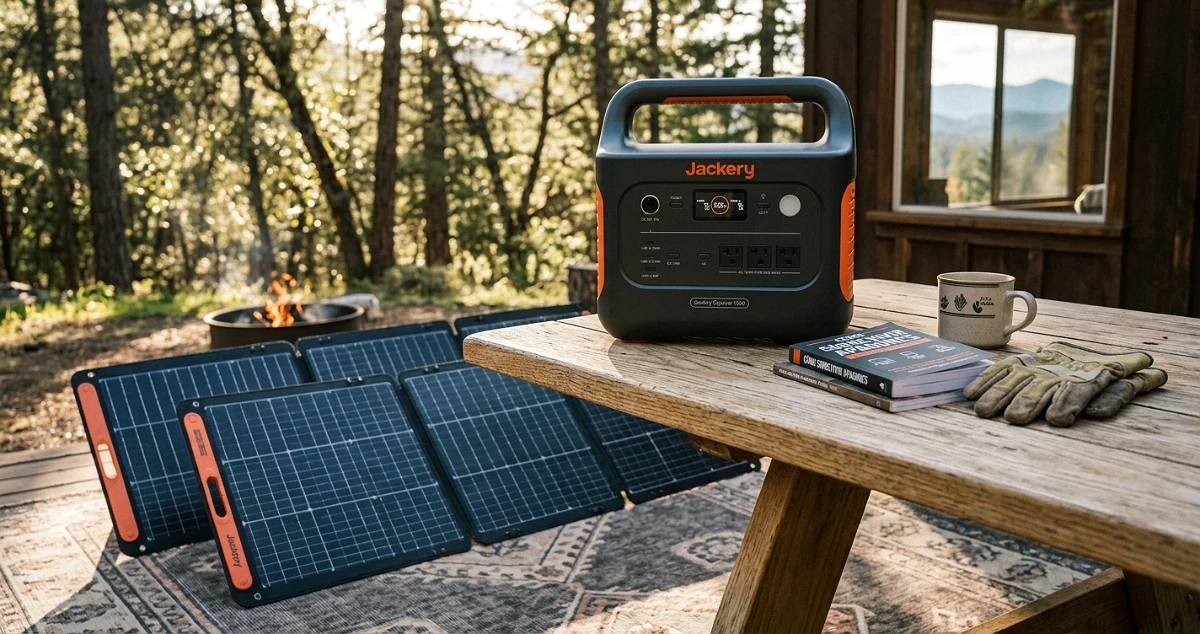
If the power bank is the band-aid, the portable power station is the full first-aid kit. We're talking about those boxes with lithium batteries (LiFePO4 in the good ones) that pack real AC outlets, USB ports, and in a lot of cases a solar input too. This is the piece that actually changes what an extended power outage feels like: instead of just surviving in the dark, you keep the router running, a fan spinning, the mini-fridge humming, or grandma's CPAP machine doing its job.
The number you need to understand here is capacity in Wh (watt-hours), not mAh. A 300Wh station gets you several phone charges, a router, and some LED lights running for a full night. A 1000Wh-plus unit lets you run a small fridge for several hours, or a fan all night without breaking a sweat (literally). The most common mistake is buying based on the size of the box instead of the actual watt-hours: some compact stations pack surprising capacity thanks to LiFePO4 cells, which also last way more charge cycles than standard lithium. If someone tells you "this battery lasts forever," ask how many cycles it's rated for before it loses capacity. The good ones promise 2,000 cycles or more; the mediocre ones tap out around 500.
Another spec that matters just as much: continuous output power, not just capacity. A station can be sitting on a ton of stored Wh, but if its inverter only pushes out 300W continuous, you're not starting a regular home fridge — those need a startup surge well above their steady running draw. This is where the marketing sleight of hand is real: they sell you capacity as the big flashy number, but output power, the actual muscle, gets buried in the fine print.
The huge advantage over a generator is silence and cleanliness. No combustion, no noise, no running out at 6 a.m. to find gas while the entire neighborhood is doing the same thing. You can keep it inside the house, charge it off a solar panel during the day, and run it at night — basically a backup solar system with no fixed installation and no paperwork. It's the sweet spot between the power bank and the generator: it doesn't replace either extreme, but it covers the range where you actually spend the most time during a real outage — the nighttime hours, when staying connected and keeping something cold matters most.
Layer 4: When a Generator Actually Makes Sense (and When It's Overkill)
Time to be blunt: a generator is heavy artillery, and like all heavy artillery, it solves a specific problem while dragging its own baggage along. If your outage lasts 40 minutes, running a generator is like calling in a fire truck to blow out a candle. It'll work, sure, but it's absurd overkill, and it'll cost you more in fuel, maintenance, and headaches than the problem it solved.
A generator earns its keep when the outage runs for hours, not minutes, and when your home has loads that genuinely need continuous, high-power AC: an air conditioner, a full-size fridge, a water pump, or a business that depends on refrigeration or machinery. If you run a store with freezers full of inventory, a generator pays for itself the first time it saves your stock from spoiling. That's the real math here: it's not about what the generator costs, it's about what you lose if you don't have one when the outage stretches past eight hours.
What almost nobody tells you about generators is the hidden cost in maintenance and logistics. They need fuel (and in Venezuela that means lines, occasional shortages, or paying black-market prices), periodic oil changes, filters, and you need to run the engine now and then even without an outage, because an engine that just sits unused breaks down on its own. Noise is a real issue too: a gas or diesel generator sounds like a motorcycle with no muffler running all night, and that's a fast way to start friction with neighbors who don't have one and would very much like to sleep.
My practical rule for deciding: if outages in your area are occasional and short (under three hours, a few times a month), a power bank plus power station combo handles 90% of your situations without burning fuel or needing maintenance. If you live somewhere with long, frequent outages, or you run a business where every hour without power means real money lost, then a generator stops being a luxury and becomes a work tool. The golden rule is simple: you buy a generator to protect income or critical high-power loads, not to charge your phone. For that, plain and simple, Layers 2 and 3 already have you covered.
How to Calculate How Much Backup Power You Actually Need (Without Losing Your Mind Doing Math)
Let's be straight about this: most people buy backup power the way they buy shoes off a catalog photo — by eyeballing it, on faith, without measuring anything. Then they're shocked when the power station that was supposed to "last all night" dies in two hours. That's not bad luck. That's basic physics nobody bothered to check for five minutes.
Here's the deal: everything in your house draws power in watts (W), and every battery stores energy in watt-hours (Wh). Same logic as a gas tank: the tank is your capacity (Wh), and your car's fuel consumption is how much you burn per hour (W). If your station holds 500Wh and your fridge draws 100W, in theory you get 5 hours — in practice, less, because no battery runs at 100% efficiency (you lose 10-20% along the way, courtesy of thermodynamics, which doesn't negotiate with anybody).
Here's the no-calculator-required method:
- Step 1: Write down the wattage of every device you want to keep running. Almost all of them list it on a sticker on the back or bottom (go find it — it's hiding there like a pop quiz).
- Step 2: Multiply that wattage by the hours you need it to last. A 10W router for 8 hours = 80Wh. Nothing crazy.
- Step 3: Add everything up and tack on a 25% buffer. That buffer is your insurance against real-world inefficiency and against the fact that you'll always forget something (your mother-in-law's phone charger, for instance).
- Step 4: Compare that number against the Wh capacity of the unit you're eyeing on Amazon. If the listing doesn't give you a clear number, be suspicious — that's like buying rice with no weight printed on the bag.
Common mistake: focusing only on max output power (the famous 1000W, 2000W ratings) and ignoring storage capacity. Those are two different things. Output power tells you how hard the unit can "push" in a given instant — whether it can start a fridge or a blender. Capacity in Wh tells you how long it lasts before it hits zero. Mixing the two up is the number one reason people end up disappointed with what they bought.
In Venezuela, where an outage can run 3 hours or 30 with zero warning, my advice is to plan for the medium-bad scenario, not the best case. If you calculate for exactly 4 hours and the outage runs 9, that "perfect" math isn't going to do you much good.
What You Can Actually Keep Running, and For How Long
This is where we stop talking theory and get down to what actually matters: what stays alive with what gear. I'm going to be specific here, because vague answers are the enemy of good planning.
With a rechargeable flashlight or lantern (tiny capacity, but runtime of several hours to days on low mode): light, and that's it. Don't expect it to charge anything else. Its job is keeping you from tripping over the dog at 2 a.m., and it does that job well.
With a mid-to-high-end power bank (roughly 10,000 to 20,000 mAh, or about 37-74 Wh): phone, tablet, small LED lights, maybe a low-draw router for a few hours. This is your communication lifeline — keeping a phone charged during a blackout isn't a luxury anymore, it's basic survival. No battery on your phone means no way to tell if the outage is just your block or half of Caracas.
With a mid-range portable power station (roughly 300-600 Wh): now we're getting somewhere. You can keep the router and modem running all night, charge multiple phones and laptops several times over, run a fan for hours, and even give a small fridge a few hours of juice (fridges are sneaky like that — low average draw, but nasty power spikes when the compressor kicks on, like that one friend who seems chill until something sets him off).
With a high-end power station (1000-2000 Wh or more): now we're talking about keeping a fridge running 8-12 hours, a router plus a laptop plus several phones going at once, a standing fan all night, and even a small TV so you don't miss your show. This is the difference between surviving the blackout and barely noticing it happened — except there's no AC, and AC eats power like it skipped lunch.
With a gas or gasoline generator (usually starting around 2000W): this is a different league entirely. Now you're talking air conditioning, a full-size fridge, lights through the whole house, and heavy appliances running at the same time. But the real cost isn't just the unit — it's the fuel, the noise (some of these sound like a motorcycle with no muffler apologizing for itself), and the maintenance. This isn't the fix for a two-hour outage — it's the fix for when the outages become a lifestyle.
A common mistake: trying to run a big fridge off a small power station. It won't work, and you'll end up blaming the gear when the real problem was bad math. Another one: never testing the unit before the blackout hits. Buying it and leaving it in the box, uncharged, is like buying an umbrella and leaving it closed in the trunk during the storm.
The Winning Combo: Power Station Plus Solar Panel
If the blackout lasts hours, a power station saves you. If it lasts days — which in Venezuela isn't science fiction, it's a random Tuesday — you need a way to recharge that station without waiting for the grid to come back. That's where a portable solar panel comes in, and honestly, it's the combo that makes the most sense for our reality.
Plain and simple: the power station is your house's water tank, and the solar panel is the faucet that refills it. No faucet, and the tank eventually runs dry, full stop. With the faucet, the whole system becomes sustainable as long as there's sun — and in Venezuela, sun is one resource that never gets rationed.
The math is simple: a mid-range 100-200W solar panel charging a 500-1000 Wh station can put back a full charge in 5-10 hours of direct sunlight, depending on panel efficiency and whether the sky decides to cooperate (solar panels and tropical weather have a love-hate relationship — they work best with zero clouds, and clouds in Venezuela run on their own schedule).
The upsides of this combo are clear:
- Real independence: you're not waiting on the grid to come back or hunting for gas for a generator.
- Dead silent: zero noise, unlike a generator that sounds like it's got a grievance to file.
- No mechanical upkeep: no engine, no oil, no filters to swap. The panel gets dusty, you wipe it down, done.
- Room to grow: start with a small panel and a mid-tier station, then add more panels or a bigger station later as your needs grow.
The downsides, so I'm not just selling you half the story: the upfront investment is higher than a flashlight and batteries (obviously), charging depends on weather (no solar miracles happen at night), and if you need high, instant power for heavy equipment, no portable panel is going to deliver that as fast as a gas generator.
Do I recommend it? Yes, without hesitation, for the average household dealing with outages that run hours or days — not for someone running heavy machinery for a business. For that, the generator is still king, complete with its permanent noise complaint. But for keeping the router, the phones, some lights, and even the fridge running with a clear conscience (literally), the power station plus solar panel combo is, as of 2026, the smartest move you can make without depending on anyone but the sun — and the sun, at least for now, hasn't announced any service outages.
How to Keep WiFi and Communication Alive During a Blackout
No sugarcoating this one: in a modern blackout, the real problem isn't the lack of light — it's losing your connection to know what's actually going on. And here's where most people miscalculate: they think about charging the phone, then forget the router needs power too. Doesn't matter if your phone's sitting at 100% if the modem's dead and there's nothing to connect to.
Here's the number that matters: a typical home router pulls between 10 and 20 watts. That's peanuts compared to a fridge or an AC unit. Which means a mid-range portable power station (the 300-600Wh range I mentioned earlier) can keep your router and modem running for 15 to 30 hours straight. That's the difference between staying informed and standing on your porch asking the neighbor what's happening.
My practical advice: find your router's power adapter (usually 12V, check the label) and plug it directly into the power station's 12V port if it has one, or through the AC inverter if it doesn't. Skip the idea of hooking a router up to some generic USB power bank and hoping for magic — most don't have the voltage or stability to keep it running without random dropouts, and a router that reboots every 20 minutes is worse than no router at all.
For your phone, this is where a high-capacity power bank (20,000mAh or more, with at least 18W fast output) earns its keep. You're looking at 4 to 6 full charges for an average smartphone — enough to stretch across several days of rationed use. The trick is rationing: airplane mode when you don't need signal, low brightness, and killing background apps that drain battery like little energy parasites.
The classic mistake I keep seeing: people charge the phone to 100% right when the blackout starts, then burn through it scrolling social media with zero discipline for the first few hours. Six hours in, they're at 15% and panicking. Bottom line: manage your battery like you'd manage water during a drought, not like it's an all-you-can-eat buffet.
Safety First: What Nobody Tells You About Running Backup Power at Home
This is where I get serious, because I've seen mistakes ranging from mildly funny to genuinely dangerous. Let's start with the most common — and the most lethal: gas and diesel generators produce carbon monoxide, a gas you can't smell, can't see, and that can kill you in your sleep. The rule is non-negotiable: the generator goes outside, always, with cross-ventilation, never in a closed garage or a covered balcony. This isn't manufacturer paranoia — it's basic combustion physics.
Second point almost nobody brings up: circuit overload. When power comes back after a long outage, there's this urge to plug everything back in at once — fridge, AC, TV, chargers — and that's exactly when breakers trip or, worse, equipment fries from the startup surge. My advice: stagger it. Wait 10-15 minutes between big appliances. Gives the grid time to stabilize and your home's wiring a chance to not have a heart attack.
With portable power stations, the risk is lower, but not zero. Charge them in a ventilated space, keep them out of direct sunlight (heat is enemy number one for lithium batteries), and never submerge them or leave them out in the rain unless the model specifically has water-resistance certification. Plenty of mid-range and premium power stations now ship with basic IP protection, but that doesn't make them submarines.
One thing that gets overlooked in Venezuela specifically: voltage spikes when power comes back after a long outage. These are common, and they can fry sensitive appliances like inverter fridges or electronics. A decent surge protector — the kind that costs about as much as a family-size pizza — can save you repairs that cost about as much as several fridges. It's the most underrated purchase in the entire backup power kit.
And the last detail, the one nobody mentions until it's already happened: don't store extra fuel for the generator inside the house. Gasoline fumes are flammable and toxic in closed spaces. Keep it in a certified container, outside, away from heat sources or sparks. Your house isn't a gas station, even if it starts feeling like one during a long blackout.
Maintenance: Why Your Backup Gear Fails Exactly When You Need It Most
Here's the cruel irony of every backup system: it fails right when you need it most, because nobody checks it until it's too late. It's the umbrella you discover is broken in the middle of the downpour. The fix isn't buying the most expensive gear — it's maintaining what you have with the same discipline you use to charge your phone every night.
With generators, the silent killer is old gasoline. Fuel degrades in 30-60 days and leaves residue that clogs the carburetor. Result: the generator that ran perfectly three months ago now won't start no matter how much you beg it. My advice is simple: run it monthly, even just 10 minutes with no load, and use fresh fuel or a stabilizer if it's going to sit for a while.
Lithium batteries in power stations have their own ritual. Don't leave them fully drained for months (they degrade and lose capacity permanently), and don't leave them sitting at 100% plugged in all the time either (that accelerates wear). The sweet spot for long-term storage is between 40% and 80% charge, with a full recharge cycle every two or three months if you're not using it regularly. Counterintuitive, but taking care of a battery is more like tending a plant than storing a rock — it needs periodic attention, not neglect or overprotection.
With power banks, the typical mistake is tossing them in the glove compartment or leaving them baking on a sunny balcony, where extreme heat slowly cooks the lithium cells. Store them somewhere cool and dry, check that they still charge properly every month, and if you notice one getting hotter than usual while charging, retire it before it retires itself — dramatically.
And the advice that sums it all up: run a blackout drill once a year. Flip the main breaker for an hour on a lazy Saturday morning, and test your whole setup — flashlight, power bank, power station, generator if you've got one. You'll find the weak links — a missing cable, a dead battery, an adapter that doesn't fit — in a controlled setting, not in the middle of a real emergency at 3 a.m. with your phone at 2% and a crying baby. A backup system you never test isn't a backup system. It's an expensive illusion sitting in a closet.
Smart Budgeting: How to Build Your Kit in Phases Without Going Broke
I'll say it plain: mistake number one is trying to buy the whole power plant in one shot, going into debt, and ending up with a white elephant in the backyard you don't even know how to turn on. Backup power gets built in phases, like building a house — foundation first, walls next, and you put in the fancy roof once it stops raining on your head.
Phase 1: basic survival (the one you can't skip). This is where you get a real rechargeable LED flashlight — not the dinky bulb one you bought back in 2015 that now flickers like a busted disco light — a power bank rated at least 20,000 mAh, and candles or emergency lamps as backup for the backup. This gets you through a multi-hour blackout without drama: phone stays charged, you can see where you're walking, and you don't eat furniture in the dark. The number that matters here: a power bank that size gives you roughly 4 to 6 full charges for an average phone. It's the cheapest buy on this list with the best peace-of-mind return.
Phase 2: extended comfort (when the outage goes from hours to days). This is where a portable power station comes in — those boxes with a big battery, AC outlets, and optional solar panels. A mid-range unit keeps your router, a fan, LED lights, and a mini fridge running for a while. A high-end unit lets you run a full-size fridge, a blender, even a window AC unit for short stretches. You don't need the biggest one in the catalog — you need one that covers YOUR real wattage, which you calculate by adding up what you actually want to keep alive (check the label on each appliance, it lists the watts right there — don't guess).
Phase 3: total independence (for anyone who depends on power to work or for health reasons). If you work from home, run medical equipment that needs constant power, or your area just has chronic outages, that's when a generator or a beefier solar-plus-battery setup earns its keep. This phase costs the most, but it's also the last one — if you get here after going through the first two, you already know exactly what you need and won't overbuy.
Bottom line: don't spend on Phase 3 if Phase 1 still isn't handled. I've seen people with a premium generator sitting in the garage and not a single working flashlight in the kitchen drawer. That's like buying a sports car before you know how to drive — nice, but a bad use of money.
Common Mistakes I See Repeated Every Blackout
After watching (and living through) enough blackouts, there's a pattern of mistakes that repeats with almost comedic precision. Here are the ones that drive me up the wall:
Buying a power station without calculating real wattage. People see "1000W" and assume that covers everything. But plug in a fridge (which draws a nasty startup power spike) plus a router plus a fan, and you can trip the inverter in seconds. Before buying, add up the wattage of every appliance you plan to run. It's fifth-grade math, but it saves you a grown-up-sized headache.
Not charging your gear BEFORE the power goes out. Sounds obvious, but half the people out there discover their power bank is sitting at 20% right when the lights go. Golden rule: if your area gets frequent outages, keep everything topped off at 100% at all times — like never letting your car sit on empty.
Storing candles near curtains or paper. Every year there are house fire stories caused by candles left in the wrong spot during outages. If you're using candles, put them on a stable surface, away from anything flammable, and never leave them unattended in a room. An LED flashlight doesn't catch fire; a forgotten candle does.
Buying a generator and never testing it until the day you actually need it. That's exactly when you find out it's out of gas, the cord's frayed, or it just won't start. Run it monthly, even for ten minutes, the same way you'd check your car's oil.
Underestimating how long outages actually last in your area. People buy gear thinking "a few hours" and the outage stretches into two days. Look into the actual pattern where you live — a scheduled 4-hour cut is nothing like an unplanned failure that drags on with no warning. Build the kit for the worst reasonable case, not the best one.
Ignoring battery maintenance on your kit. Power banks and power stations lose capacity if you leave them sitting dead for months. Top them off periodically even when there's no outage, so they're actually ready when you need them.
My Own Backup Setup (and Why I Built It This Way)
All three phases are active in my house, and that wasn't a whim — it came from trial and error after enough blackouts taught me the hard way what actually works and what's just expensive decoration.
I keep two rechargeable LED flashlights in different spots around the house — one in the kitchen, one in the master bedroom — because I learned that when the power dies at night, you never know which room you'll be standing in, fumbling for something. I also keep three high-capacity power banks, one per person in the house, because sharing a single power bank during a long outage causes more fights than watching a soccer match with the family.
I went with a mid-to-high-tier power station, with a foldable solar panel included, because my priority is keeping the router alive — I work from home, so no internet means no income — plus the mini fridge where I keep the essentials. I calculated real consumption before buying: added up the watts for the router, the modem, two fans, and the small fridge, then bought a unit that covers that with real headroom, not one running at its limit. That "buy with headroom" rule has saved me more than once when an outage dragged on longer than expected.
I don't own a generator, and that's a deliberate call — in my case, outages rarely go past two days, and the power station with the solar panel handles that without the maintenance, noise, and fuel a generator demands. If I lived somewhere with week-long outages, that'd be a different story — that's where the cost and the space it eats up would actually make sense.
What I value most about this setup is that every piece has a clear job: the flashlight is the first line of defense, the power bank keeps communication alive, and the power station is what lets me keep functioning almost normally for days. It's not the most expensive or the most sophisticated setup on the market, but it's the one that matches my actual reality. And that, at the end of the day, is the whole logic behind this: the best backup kit isn't the one with the most gadgets — it's the one built for your real blackout, not the one you saw in some video online.
My Final Verdict
I'll give it to you straight: there's no magic gadget that handles a 2-hour blackout and a 3-day blackout with the same solution. That's like trying to use the same shoe to run a marathon and swim a lap. What actually works is thinking in layers: a flashlight and power bank for the basics and the emergencies, a power station to keep the router, a fan, and everyone's phone running, and a generator only if outages in your area are long and frequent. Each layer covers a different scenario, and that's where real backup comes from — not from one device that promises to save your life and ends up saving nothing but your screen brightness.
Here's my honest advice: build your kit around your worst realistic scenario, not the one with the most blinking lights and buttons in the ad. Start small (a solid-capacity power bank, a rechargeable flashlight), and if outages in your area are frequent, step up to a mid-range or higher power station. Don't wait for the power to go out to realize your only backup plan was your phone screen at 3%.
In our catalog, we've put together a careful selection of this gear, filtered by real-world capacity and durability, not marketing promises. Check it out before the next blackout catches you flat-footed.
Average reference values by type of device; Actual consumption varies depending on brand and model.
Estimated for light use (router + cell phone charging); It varies depending on the exact capacity of the equipment.
Deals before anyone else
Want a heads-up when prices drop?
Drop your email and we'll send the tech deals and the gadgets going viral — no spam, just the good stuff.
Frequently asked questions
The first thing, without a doubt, is rechargeable flashlights and a large power bank. They are cheap, they do not fail and they cover 80% of real emergencies: watching something and not losing your cell phone. Everything else—power station, plant—comes later.
Our picks from this guide
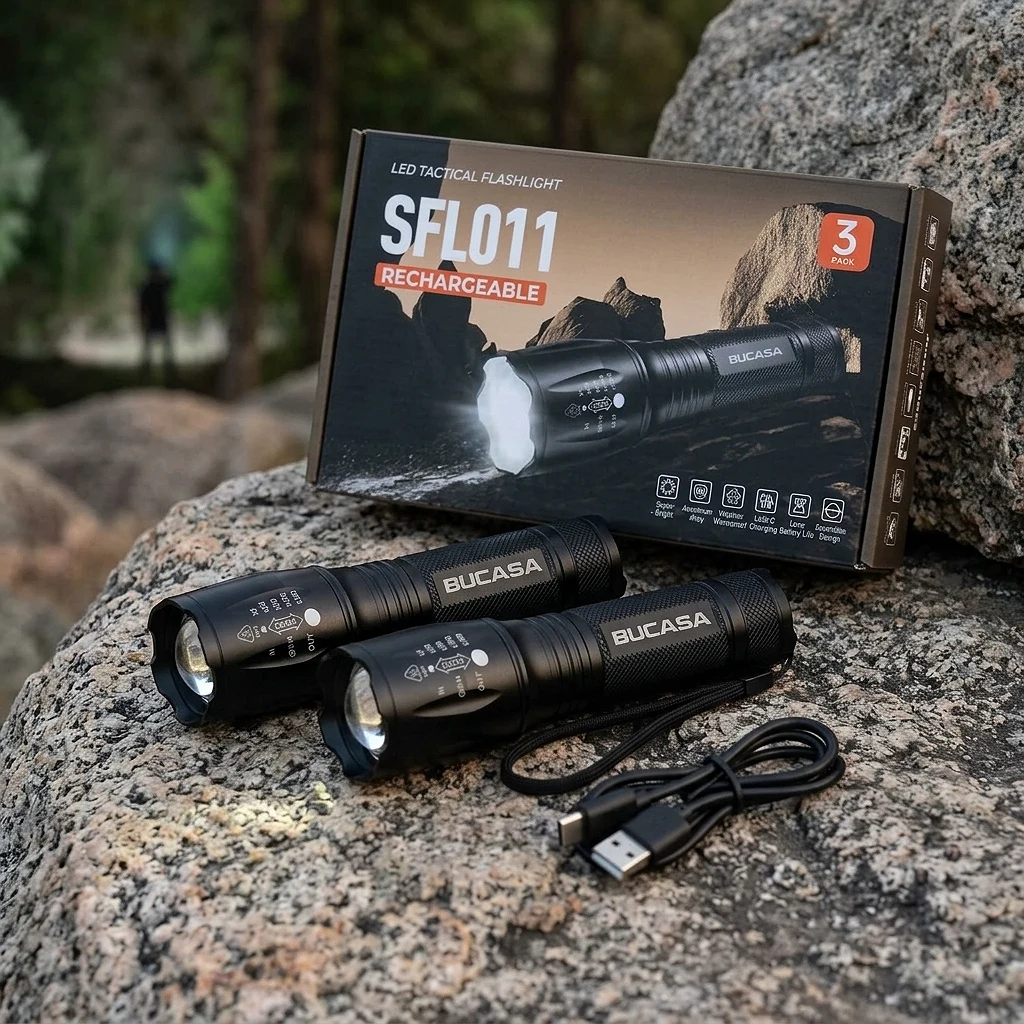
Set of 3 Rechargeable Tactical LED Flashlights
Best for: Those who want to have a reliable flashlight in every corner of the house without spending on three different brands.
Three rechargeable flashlights for the price of one emergency exit: powerful, compact and zoomable, so you'll stop fighting with AA batteries at 3am when the power goes out.
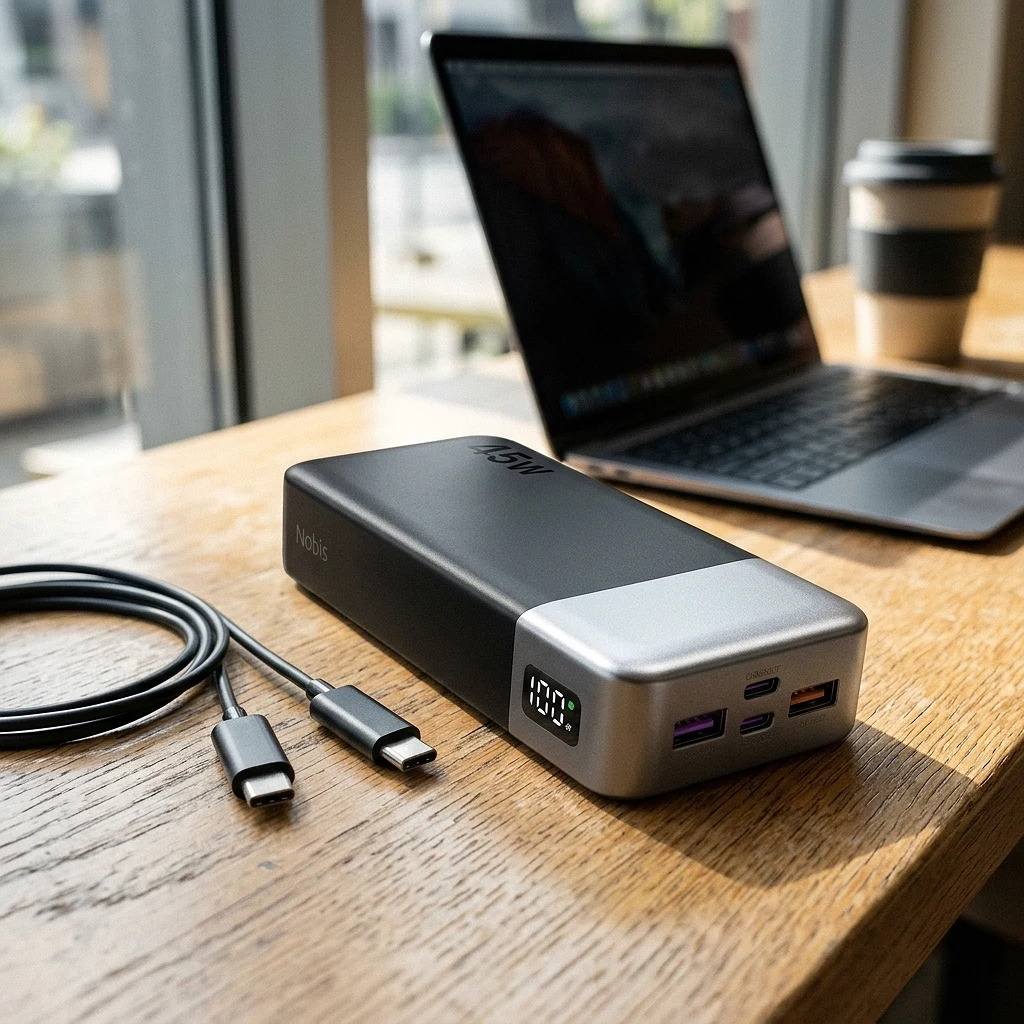
NOBIS Power Bank 20000mAh 45W
Best for: Travelers, remote workers, and anyone who uses their phone like an extension of their arm and needs reliable backup power.
An external battery with the capacity to survive a weekend apocalypse and charge so fast that it will cost you more to choose which series to watch than to wait for the phone to reach 100%.
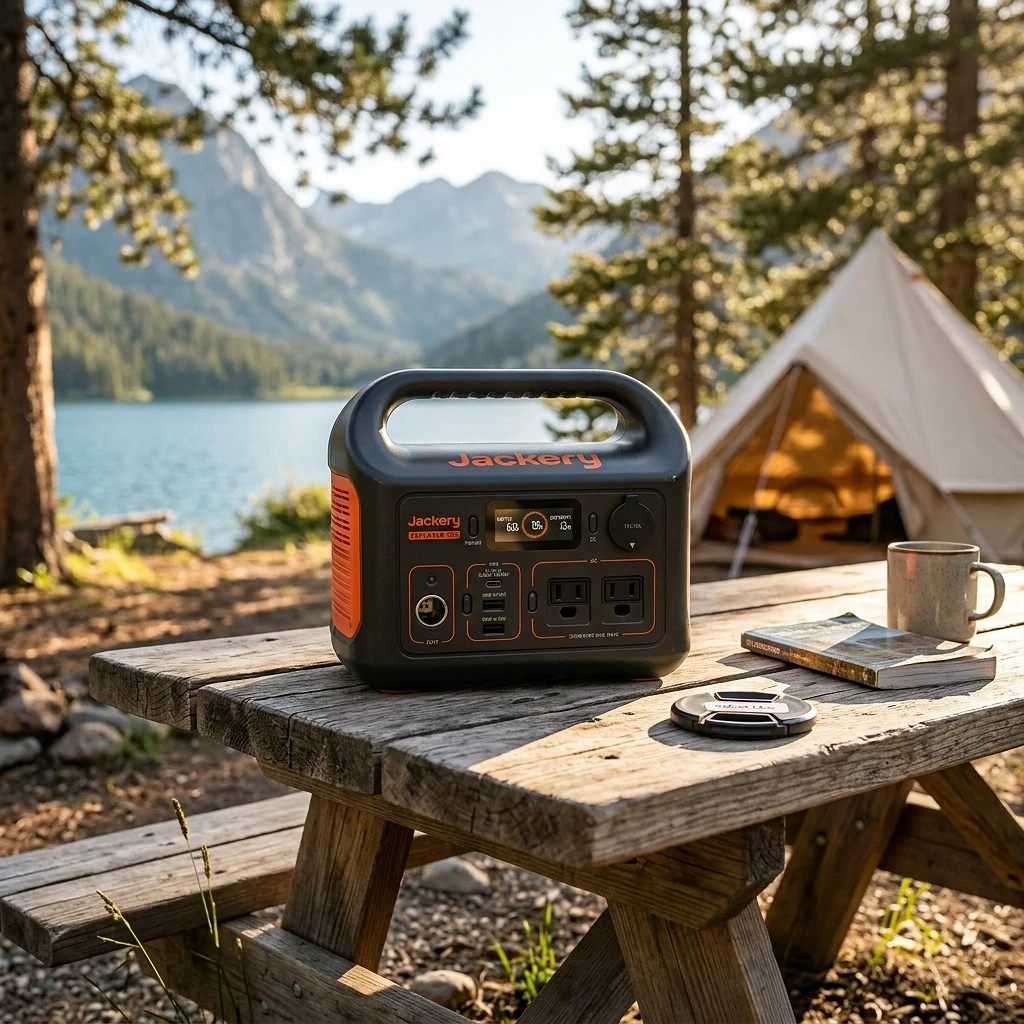
Jackery Explorer 300 (LiFePO4)
Best for: People who camp, travel or just want a portable electric lifesaver for power outages without carrying a real power plant.
It's like having a wall plug put in a box the size of a toaster: it won't make you solder, but it will save your coffee and cell phone when the electricity decides to take a vacation.
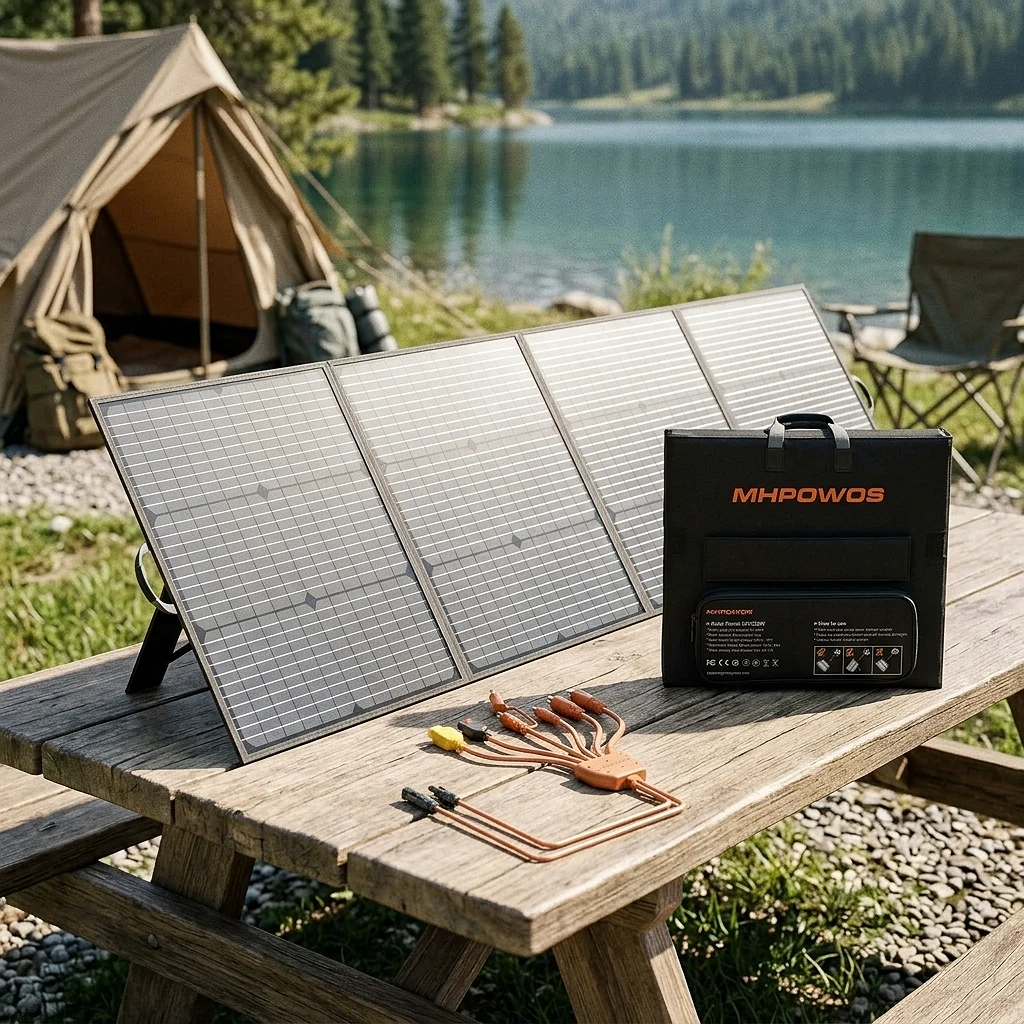
Portable 220W Foldable Solar Panel
Best for: Campers, RV travelers and off-grid lovers who want reliable power without relying on an outlet.
This panel turns you into your own portable power plant, although let's be honest: the sun doesn't always cooperate with your camping schedule.
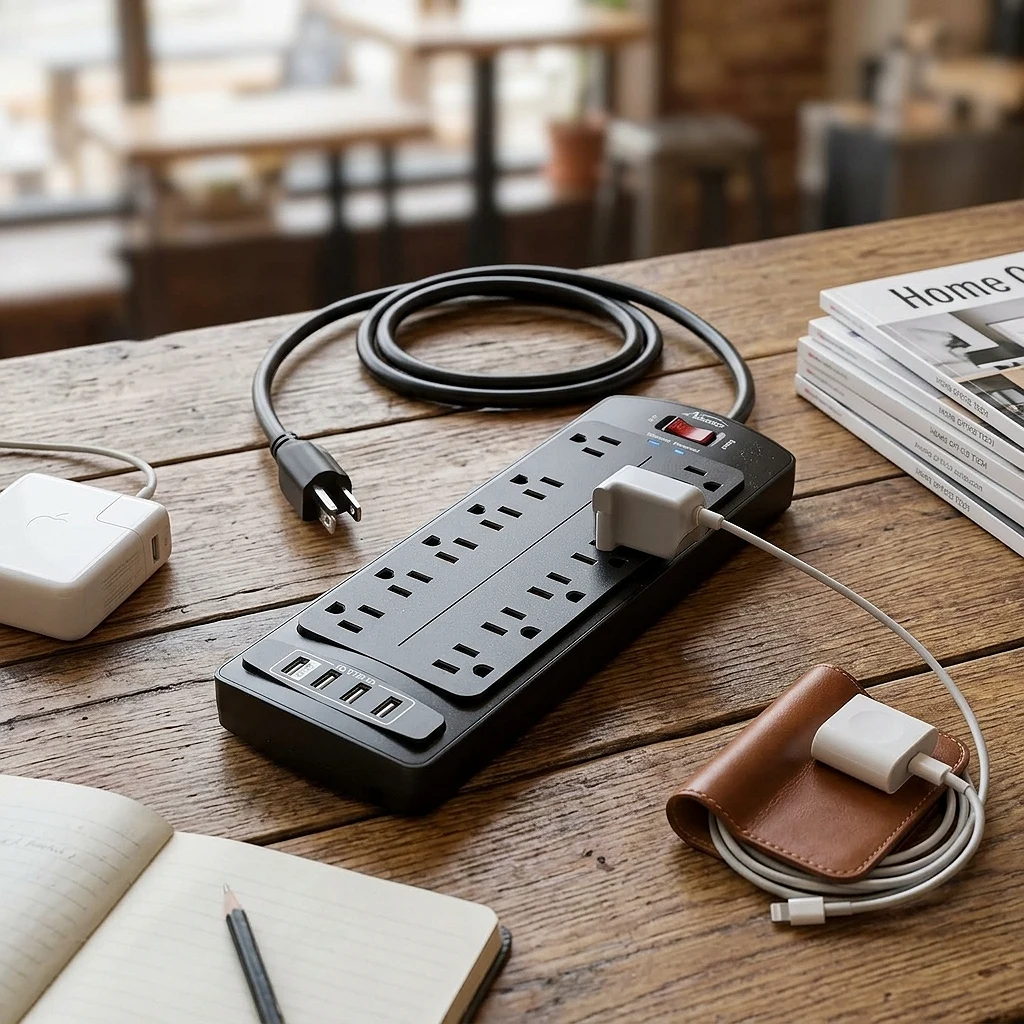
ALESTOR Power Strip 12 Outlets + 4 USB with Peak Protector
Best for: Who has more devices than outlets at home, office or bedroom and wants order (and protection) at once.
It's the type of power strip you buy once and never fight with someone else's outlet again; With 12 outlets and 4 USB you even have space for the charger that no one uses but no one throws away.
From our store
Tested, verified products — ready to ship.




Ready to upgrade your setup?
Browse the gadgets we actually tested and stand behind.