
Home WiFi Cameras: A 2026 Buyer's Guide
Home Wi-Fi security cameras in 2026: the resolution, night vision and storage you really need, how setup works and which features you can skip.

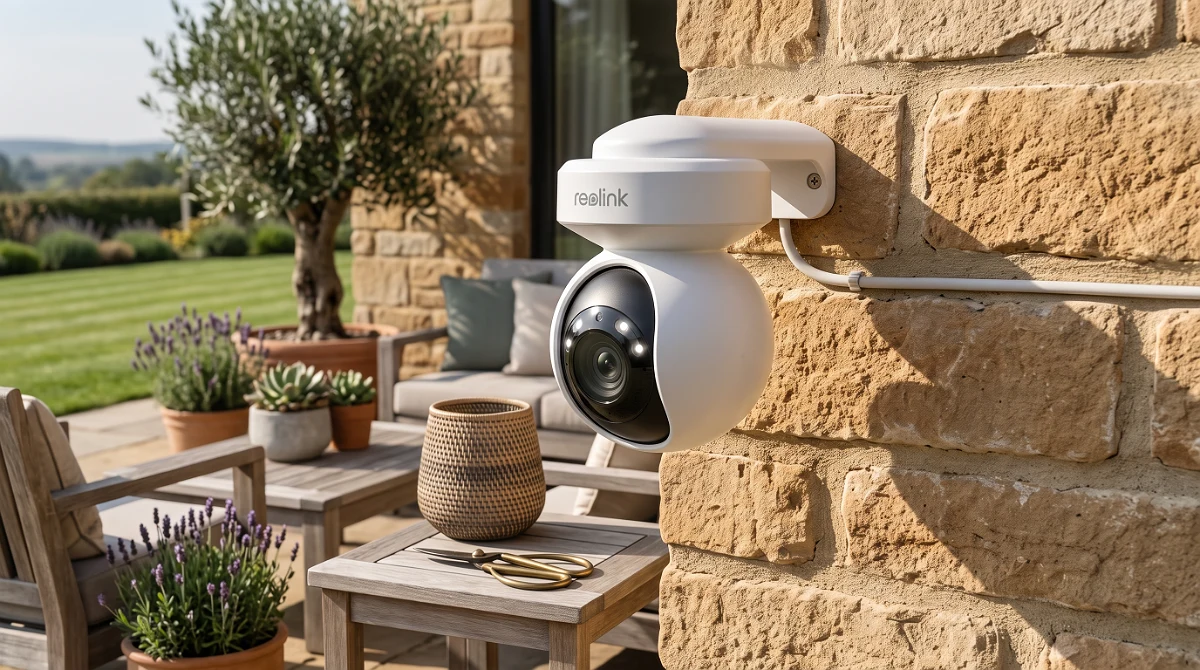
TL;DR
WiFi cameras are an accessible way to watch your home, but pick one that matches your coverage and image quality needs.
Two-Way Audio: Hear and Speak to Anyone at Home
Here at BaratongoVzla, when we talk security, we’re not just talking about seeing; we’re talking about interacting. Modern Wi-Fi cameras have come a long way, and is now a standard feature on most decent models. Let me be blunt: this isn't a luxury, it's a necessity if you want total control. Imagine being at the office and hearing your kid arrive home from school, or worse, hearing a strange noise in the middle of the night. With two-way audio, you don't just hear; you can speak through the camera. It's like having a built-in walkie-talkie.
Audio quality is what separates the good from the bad here. I’ve tested gear where the sound is so compressed it feels like you're talking through a cardboard tube. We need clarity, both for listening and for transmitting. A good microphone and a decent speaker on the camera are crucial. The range? It varies, but for home use, covering the room the camera's in is usually enough. The important thing is clarity. I’ve seen cameras, even in budget ranges, offer surprisingly clear communication, while others, more expensive, fall short.
In plain English: it lets you communicate in real-time. Forget something when you left? Talk to whoever's home. Want to scold the dog for getting on the couch? You can do that too. But the most practical use, the one that really adds value, is communicating with family members, especially if you have young children or elderly relatives at home. You can check that everything's okay, give quick instructions, or just say hello. It’s an undeniable boost to peace of mind. The technology behind it is relatively simple: a microphone on the camera picks up audio, sends it via Wi-Fi to your app, and the app plays the sound on your device. When you speak from your app, the audio is sent back to the camera and played through its speaker. is key; if it’s too high, the conversation becomes a mess.
For me, the critical data point is latency and clarity. I’ve had experiences where the echo is unbearable or the sound cuts out every other second. Good firmware and a stable Wi-Fi connection are the foundation. If you're buying a camera for this feature, check the audio specs and, if possible, look for video reviews demonstrating sound quality. Don't just settle because it has two-way audio; the quality of that audio will determine if you actually use it. It’s like having a smart intercom in every corner of your house.
Would I buy it? Yes, without hesitation. It’s a feature that elevates the camera’s utility from simple surveillance to a communication and control tool. If your budget allows, look for models that excel in audio quality, not just for having the feature.
Integration with Other Smart Home Systems
This is where things get interesting, and where many Wi-Fi cameras remain just passive eyes. The real magic happens when your camera isn't an isolated unit but part of an ecosystem. We’re talking about your camera speaking the same language as your virtual assistant, your smart lights, or your alarm system. In today’s connected world, integration isn't optional; it's a key differentiator. If it lacks it, you're missing out on a world of possibilities.
Think about it: if your camera detects motion at the front door at night, wouldn't it be great if it automatically turned on the porch lights? Or if your smoke detector goes off, have the camera start recording immediately from every possible angle? That's what we call intelligence. Compatibility is based on protocols and platforms. The most common are , Amazon Alexa, and Apple HomeKit. If your camera is compatible with any of these, you're off to a good start. Then there are more advanced standards like , which aims to unify communication between devices from different brands. If a camera supports Matter, that’s a big plus for future-proofing.
The common problem is fragmentation. Many brands create their own closed ecosystems, meaning your camera will only talk to other devices from the same manufacturer. It's like having a phone that can only call other phones from the same company. BaratongoVzla champions openness. We look for devices that integrate without drama. The key takeaway? Verify compatibility before you buy. Don't assume that because it's Wi-Fi, it'll connect to everything. Check the list of compatible devices in the product description or on the manufacturer's website. Sometimes, integration is as simple as a routine in Alexa or Google Assistant; other times, it requires more complex platforms like IFTTT (If This Then That), which lets you create custom automations.
What I look for is seamless integration and useful actions, not just marketing fluff. For example, when detecting someone at the door, the camera should not only notify you but also trigger a siren or send a message to your primary phone. Or, if you leave home and arm your smart alarm, the camera should automatically switch to maximum surveillance mode. Investing in cameras with good integration pays for itself in the long run through the convenience and added security it provides. It's a system that learns and adapts to your routine.
I’ve seen systems where integration is so good that, upon arriving home, the lights turn on, the entryway camera greets you with a pre-recorded message (yes, that’s possible with some advanced setups), and your favorite music starts playing. It’s the future, and it’s here, but it requires choosing your components wisely. HomeKit compatibility, for instance, is often a mark of quality, though it sometimes comes with a higher price tag.
Would I buy it? Absolutely. If you already have or plan to build a smart home, integrating your cameras is fundamental. It’s what transforms a simple security camera into an active component of your protection and automation system. Look for compatibility with the assistants you use and, if possible, with open standards like Matter.
Easy Setup and Configuration: DIY is Possible
Let's be real: most of us aren't system engineers. We want things to work without needing to call a tech. And with WiFi cameras, that "easy setup" promise is usually the main selling point. BaratongoVzla is the testing ground, and I'm telling you, the industry has come a long way. These days, most WiFi cameras are designed so even the most tech-averse person can install them. The famous "DIY" (Do It Yourself) is totally viable.
The typical process goes like this: you take the camera out of the box, plug it in (some are battery-powered, which simplifies things even more), download the manufacturer's app on your smartphone, create an account, and follow the on-screen prompts. Usually, it'll ask you to scan a QR code on the camera, connect the camera to your WiFi network by entering the password, and that's it. In a matter of minutes, you should be seeing the feed on your phone. I've seen cameras that guide you with voice instructions, which is a neat touch for those who don't read manuals (I admit, sometimes I'm one of them).
The crucial factor here is the stability of your home's WiFi connection. If your signal is weak where you want to put the camera, even the best installation won't make it work well. So, before you buy, think about where you'll place it. Do you need a WiFi range extender? Does the camera have good capability to connect to networks if your router supports it? Cheaper cameras sometimes only support 2.4GHz, which is slower and more prone to interference. Network setup is 90% of the success. Once the camera is connected to your WiFi, the rest is a piece of cake.
Common mistakes usually come from not reading instructions carefully, especially when entering the WiFi password (a case-sensitive error can drive you nuts!), or trying to connect the camera to a 5GHz network when it only supports 2.4GHz. Another detail is placement: if the camera is too far from the router, the signal will be unstable, and the image will freeze or become pixelated. Some cameras require a card for local recording; make sure you have one handy if you plan to use that option. In plain English: don't overcomplicate it, follow the app's steps, double-check your WiFi password, and ensure you have a good signal where you're putting it.
Ease of installation also extends to mounting options. Most come with brackets that screw onto walls or ceilings, and some even include double-sided adhesive tape for smooth surfaces. Some outdoor cameras have a more robust design and require a bit more effort, but they're still manageable for most people. The goal is for technology to serve you, not the other way around.
Would I buy it? Yes, definitely. Ease of installation is a decisive factor for mass adoption. If a camera makes you sweat just to get it connected, no matter how good its image quality, the frustration can outweigh the benefit. Look for brands that have intuitive apps and clear setup processes. By 2026, if a WiFi camera doesn't install in under 15 minutes, it's already a step behind.
Privacy and Security Considerations for Your Data
Look, I'll tell it to you straight: if you're putting cameras in your house, privacy is the first topic. It's not just about you seeing who comes and goes; it's about who else can see what's happening. WiFi cameras transmit data, and if that transmission isn't well-protected, it's like leaving the door open with a sign saying "valuables inside."
The important detail here is end-to-end encryption. What does that mean in plain English? It means the image leaving your camera travels encrypted, like in a digital safe, all the way to your phone or wherever you're viewing it. If that encryption is weak or non-existent, anyone with a bit of skill and the right tools could intercept the signal. We've seen cases where cameras from lesser-known brands, or with outdated firmware, end up being entry points for cybercriminals. Don't just trust a manufacturer saying "secure"; look for details on the type of encryption (AES-256 is the gold standard) and if they offer two-factor authentication to access your account. The latter is like putting an extra lock on your door, even if someone steals the main key.
Another crucial point is where your recordings are stored. Some cameras save everything to the manufacturer's cloud. While convenient, you become dependent on them. What happens if that company goes bankrupt, changes its privacy policies, or suffers a security breach? Your videos could be exposed or become inaccessible. That's why I prefer cameras that offer local storage, either on a microSD card inside the camera itself or on a Network Attached Storage (NAS) on your network. That way, you have physical control of your data. If you opt for the cloud, thoroughly research the company's reputation, their data retention policies, and how they protect your information. Don't just get swayed by the "unlimited free storage" offer; sometimes, cheap costs you dearly, and in this case, the cost could be your privacy.
Finally, check the permissions requested by the mobile apps for these cameras. Does it need access to your contacts? Your location constantly? Your microphone even if you're not using two-way audio? If they ask for more than they need, it's a red flag. A security camera should focus on security, not on collecting data for marketing purposes or who knows what else. In the end, the security of your data is just as important as the physical security of your home. Think of it like choosing the lock for your front door: you wouldn't put the cheapest, easiest-to-pick one on, right?
Would I buy it? Yes, but only after thoroughly researching the brand's privacy policies and storage options. The security of my data is non-negotiable.
Budget vs. High-End WiFi Cameras: Where's the Value?
This is where most people get lost. You see a budget WiFi camera advertised and it seems like it solves everything, but reality is more complicated. The difference between a cheap camera and a high-end one isn't just the price tag; it's about performance, durability, and advanced features that, trust me, you'll notice in daily use.
Budget cameras usually do the basic job: transmit video. But that's where the virtues end. Image quality, especially in low light, is often mediocre. Think of a blurry photo from your old flip phone – that's what you might get. Dynamic range is poor, meaning if it's super sunny outside and dim inside, or vice-versa, you'll see completely black areas or blown-out highlights. Two-way audio, if they even have it, sounds like you're talking through a tin can. And motion detection… well, get ready for alerts every time a leaf blows by or a shadow shifts. It’s like a car alarm that goes off every time a truck drives down the street: more noise than use.
On the other hand, high-end cameras offer or at least 2K resolution, with sensors that handle light conditions much better. You'll see crisp details, recognizable faces, even at night thanks to improved infrared vision. Audio is clear, and AI-powered motion detection can differentiate between people, pets, and vehicles, drastically cutting down on false alarms. Many include features like , automatic subject tracking, built-in spotlights to deter intruders, or even basic facial recognition. It's the difference between watching a movie on an old CRT TV and a 4K : the experience is radically different.
The real value of high-end, though, isn't just in the flashy features. It's in reliability and integration. These cameras usually have better build quality, are more weather-resistant if they're for outdoor use, and integrate better with other smart home systems (Alexa, Google Home, HomeKit). Firmware gets updated more frequently and for longer, meaning your investment stays secure and functional for more years. A cheap camera might lose all technical support after a year, becoming a security risk. It's like buying a toy car versus a real car: one breaks on the first bump, the other gets you where you need to go, time and time again.
In Venezuela, where internet connections can sometimes be unstable, a high-end camera with better video compression and local recording capabilities gives you more breathing room. Budget options often require a more robust and constant connection to function decently, and when the internet drops, they drop completely. That's why, even if the initial price is higher, investing in a mid-to-high-end camera (not necessarily the absolute most expensive, but one from a reputable brand) saves you headaches and gives you real security, not just an illusion.
Would I buy it? Yes, if the budget allows. The value is in the image quality, reliability, and smart features that truly make a difference, especially in motion detection and . Don't be fooled by the apparent savings of the cheapest options; you often pay less for much, much less.
Firmware Maintenance and Updates
This is the topic almost nobody wants to hear about, but it's vital. A security camera is like a modern car: it needs preventative maintenance and, above all, software updates to keep running well and, more importantly, securely.
Firmware is, essentially, your camera's operating system. It's the software that controls everything: how it records, how it connects to your WiFi, how it processes motion, how it encrypts data. Over time, manufacturers discover security flaws in this software (bugs) or develop new features. If you don't update the firmware, you expose yourself to those security flaws. Imagine your camera has a known vulnerability, and a hacker exploits it to watch your home. It's not science fiction; it happens. That's why the first rule is enable automatic updates if your camera allows it. It's the easiest way to stay protected without having to remember to do it manually.
If you don't have the auto-update option, maintenance becomes your job. What does that involve? Periodically checking (every month, for example) the manufacturer's app or website for new firmware versions available for your specific model. Download and install them. The process is usually simple: you download the file, upload it to the camera (sometimes via the local network, other times through the app), and reboot the device. Some more advanced cameras let you schedule these updates during low-activity times so they don't interrupt your day.
Beyond firmware, consider physical cleaning. If the camera is for outdoor use, dust, dirt, and even insects can affect image quality. A gentle wipe with a microfiber cloth now and then (every 3-6 months) can make a difference. If it has a lens, use a specific lens cleaner to avoid scratches. And check for cobwebs obstructing the field of view or sensors. It sounds basic, but I assure you I've seen installations where the camera was practically unusable due to accumulated grime.
Another aspect is WiFi connection integrity. A weak or unstable signal won't just give you choppy video; it can affect the camera's ability to receive firmware updates or send alerts on time. If you notice your camera acting up, before blaming it, check the WiFi signal strength at its location. You might need a repeater or to move the camera to a spot with better coverage. In Venezuela, with the voltage fluctuations we sometimes have, a good or a small for the WiFi router and the camera (if it's wired or has a sensitive power adapter) can prevent unexpected failures and prolong the equipment's lifespan.
Maintenance and updates aren't an expense; they're an investment in the longevity and effectiveness of your security system. Ignoring them is like buying life insurance and then not paying the premiums: it leaves you exposed when you need it most.
Would I buy it? Yes, but only if I'm willing to do that maintenance and ensure it stays updated. It's a responsibility that comes with the gear. If you're looking for something that's "set it and forget it" forever with zero intervention, maybe it's not for you.
Final Verdict: Which WiFi Camera Fits Your Home?
Look, I'll be blunt: the world of home WiFi cameras can be overwhelming. So many options, you end up dizzy. But if you want my final word, after testing them and seeing what actually works day-to-day here, it's this: WiFi cameras are an accessible and effective tool for monitoring your home, but the key is choosing the one that best fits your specific coverage and image quality needs. There's no single silver bullet, just the right piece for your security puzzle.
The trick is understanding what you need before you buy. Is it to watch the dog while you're out? To make sure no one touches the Christmas tree? Or to keep an eye on the main gate? Each use demands different features. A camera with ultra-low light night vision is great for dark interiors, but might be overkill and pricey if you just want to see if the delivery arrived. On the other hand, if you need to cover a large yard, one with a wide viewing angle and weather resistance is crucial. And hey, WiFi connections can be more temperamental than a toddler sometimes, so signal stability is a factor you can't underestimate.
In plain English: don't get swayed just by the megapixel count or if it has a built-in siren. Think about your space, your internet connection, and your budget. If you're looking for something affordable for a specific spot, a basic 1080p camera with good motion detection will do. If you need to cover an entire house or large outdoor areas, you'll have to invest a bit more in models with better range, durability, and maybe local storage (SD card) in case the internet fails. Image quality matters, sure, but a perfect 2K image that doesn't arrive because the signal is bad is useless. Prioritize reliability and adequate coverage for your environment.
So, my final recommendation is clear: define your primary need. Indoor or outdoor surveillance? Day or night? Small or large area? Do you need two-way audio? Smart alerts for people or just generic motion? Once you have that straight, look for cameras that meet those requirements. And if you can, do a little digging on the brand and their support, because believe me, when something breaks, you want someone to complain to, especially if you're dealing with official technical support that can be an odyssey. Careful selection is your best ally.
Would I buy it? Yes, absolutely. But with the caveat that not all are created equal. WiFi cameras, chosen wisely, are a smart investment for peace of mind. They're like having an extra set of eyes where you need them most, and nowadays, with the technology available, that's a luxury within reach. Just make sure you buy the right tool for the job. Don't try to hammer in a screw!
My Final Verdict
Look, home WiFi cameras are no longer the future; they're the present, and by 2026, they're more accessible and powerful than ever. I'll tell you straight up: they're a smart investment for keeping a watchful eye on your property, whether it's to see if the dog ate the rug or to know who's at the door.
The trick, like with any good mechanism, is in the selection. Not all cameras are the same, and what works for the neighbor upstairs won't work for you if your house is a maze. Pay close attention to the resolution (it should be sharp, not like '90s recordings), the viewing angle (it should cover as much as possible without looking like a deformed fish-eye), and, of course, the WiFi connection (it shouldn't drop every five minutes like a terrible internet connection).
In plain English: if you're looking for something to monitor the main entrance, one with good night vision and motion detection is enough. If you want to cover multiple angles, you might need a pack or a (pan-tilt-zoom) camera that moves. Would I buy it? Yes, without a doubt, as long as you choose the one that fits your perimeter and budget. If you're interested in checking out our carefully selected range of reliable models, you know where to find them.
Approximate values for the most common vertical resolution in each type.
- Cloud Only20 Percentage20%
- Local Only (microSD)30 Percentage30%
- Cloud + Local50 Percentage50%
Typical distribution of offered storage options.
Deals before anyone else
Want a heads-up when prices drop?
Drop your email and we'll send the tech deals and the gadgets going viral — no spam, just the good stuff.
Frequently asked questions
Consumption varies. Most modern WiFi cameras are efficient. Battery models sip power in standby. Wired ones draw 3-10W, similar to a small router.
Our picks from this guide
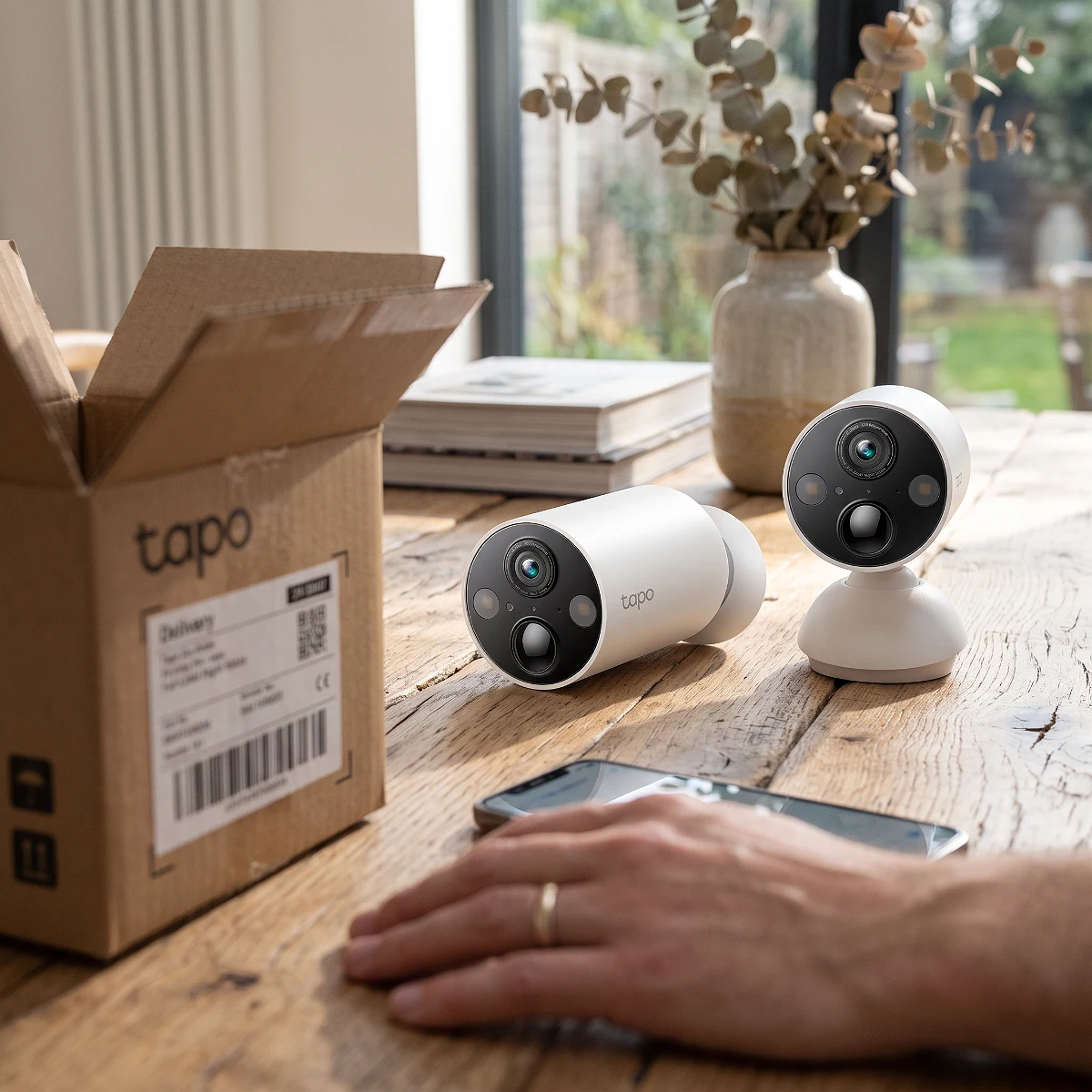
Tapo MagCam 2K+ (Pack of 2)
Best for: Ideal for those seeking hassle-free outdoor surveillance with good image quality.
These Tapo MagCam 2K+ cameras are like having extra eyes on your house, but without the salary. And they're wireless! We've got enough cables in life already.
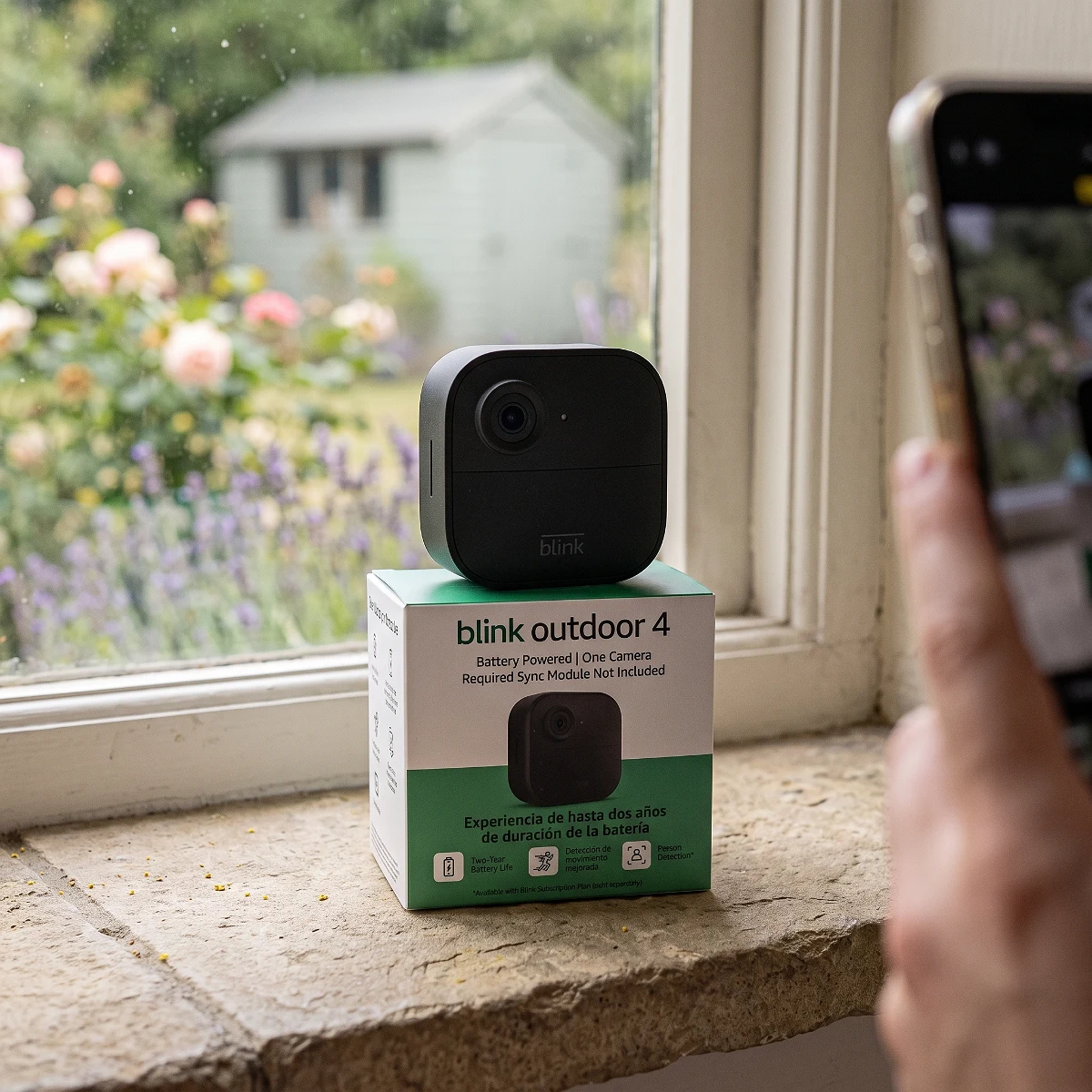
Blink Outdoor 4 - Smart Security Camera
Best for: Perfect for those looking for a wireless outdoor security solution with minimal maintenance.
This Blink Outdoor 4 camera promises up to two years of battery life, almost as long as I forget where I put my keys! And with two-way talk, you can scold the delivery guy if he's late.
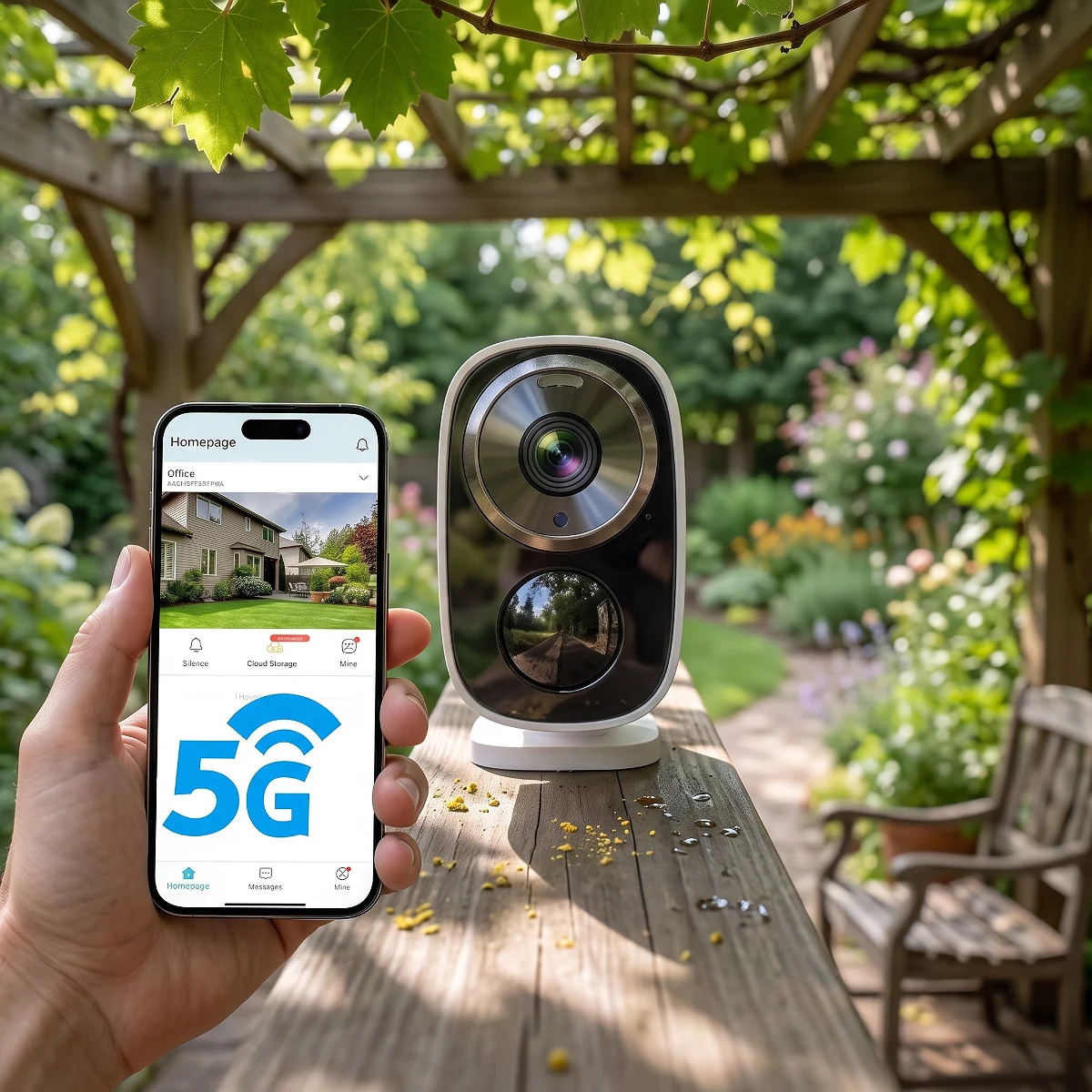
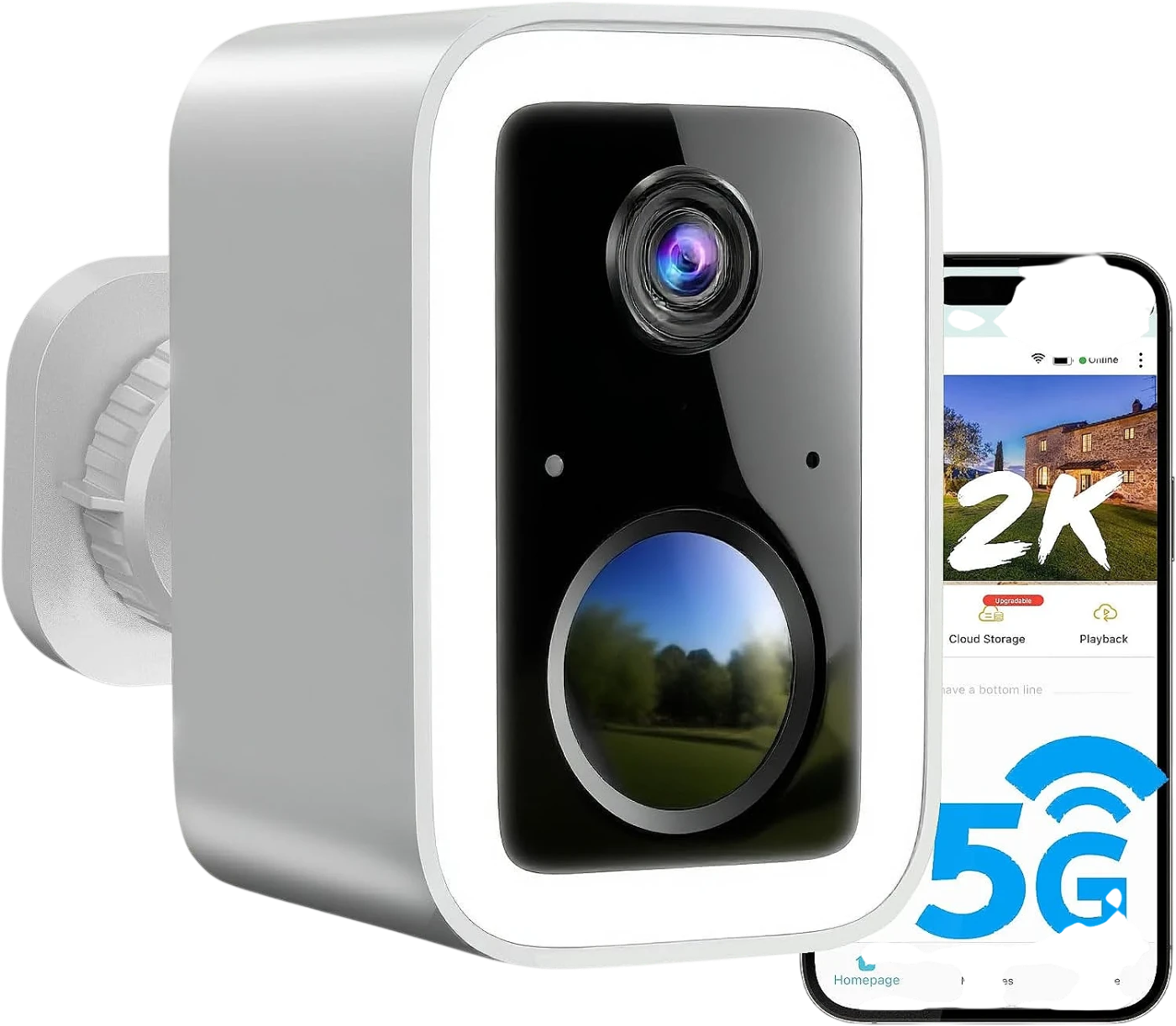
2K Wireless Security Cameras with Battery
Best for: Homeowners seeking an easy-to-install wireless security solution with smart features.
These 2K security cameras give you the peace of mind you need, with images so sharp you'll even see if your neighbor is spying on you... from your phone! And best of all, no wires to complicate your life.
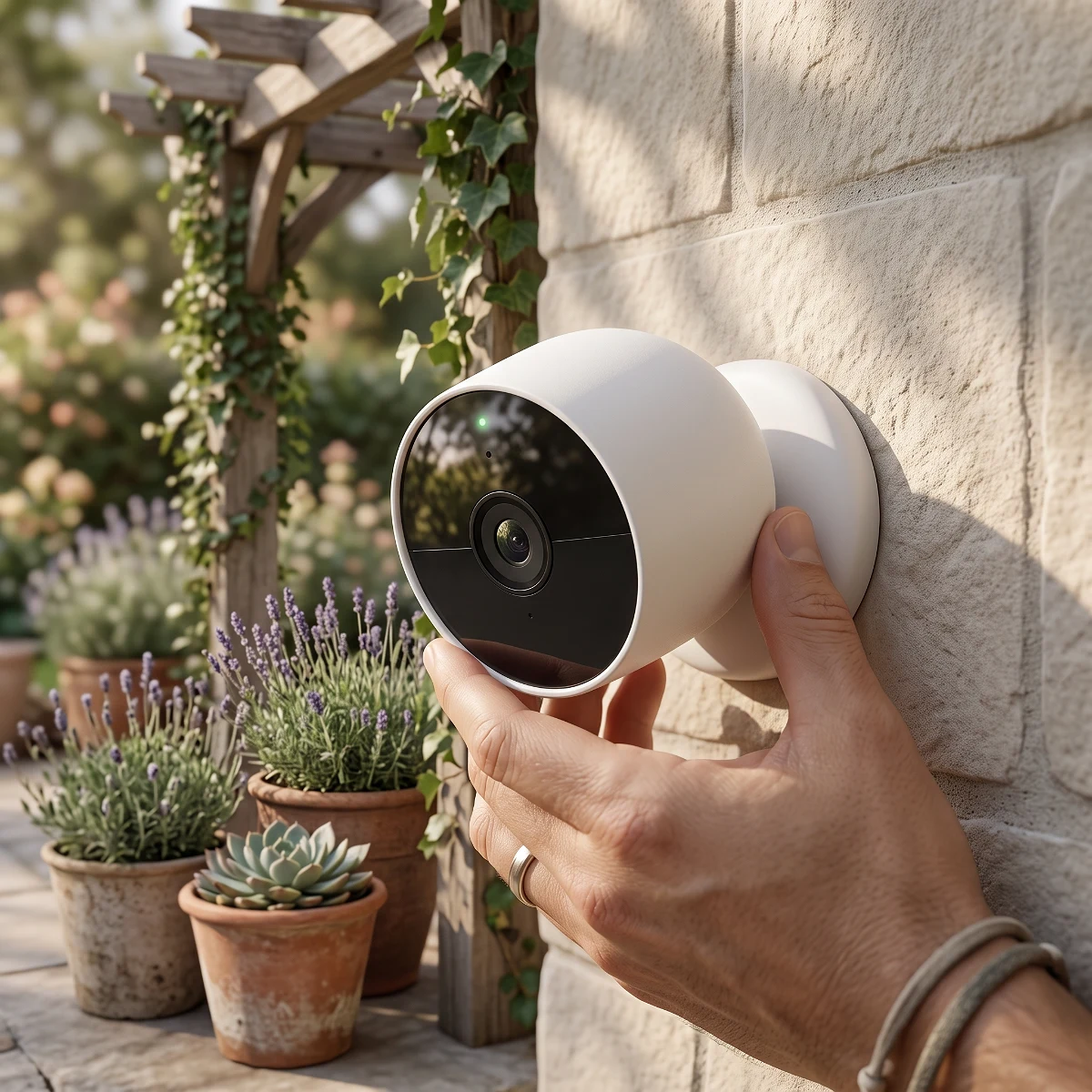
Google Nest Cam (Battery)
Best for: Ideal for those looking for a flexible and easy-to-install security solution, for both indoor and outdoor use, who already use voice assistants.
This Google security camera gives you peace of mind without cable tangles, perfect for monitoring both inside and out. It's so smart it alerts you to what matters, so you won't miss a thing (not even cookie thieves).
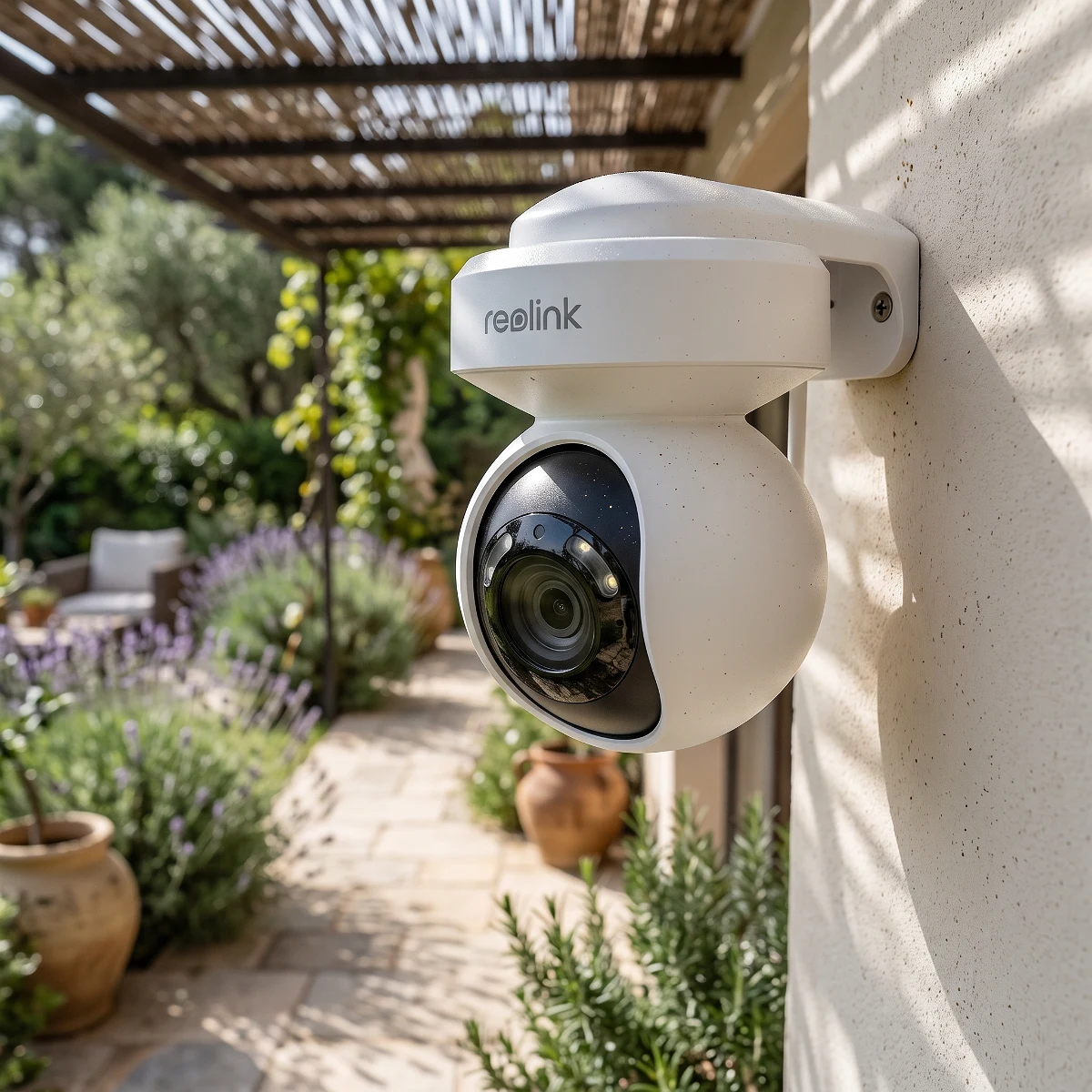
REOLINK E1 Outdoor Pro 4K PTZ WiFi Camera
Best for: Perfect for those seeking robust outdoor security without subscription strings attached, with the latest Wi-Fi 6 technology.
This Reolink camera is so sharp you'll be able to see if your neighbor is stealing empanadas off the balcony, and with its 3x optical zoom, you can almost read their mind... well, almost. Smart detection alerts you to what matters, so you won't miss a thing while deciding which series to watch.
From our store
Tested, verified products — ready to ship.



Ready to upgrade your setup?
Browse the gadgets we actually tested and stand behind.