
The Ultimate 2026 Projector Guide: Types, Specs, What to Buy
Jonathan Moreno breaks down projector tech for 2026: laser vs LED, UST, gaming, and real lumens. Shop without regrets.

TL;DR
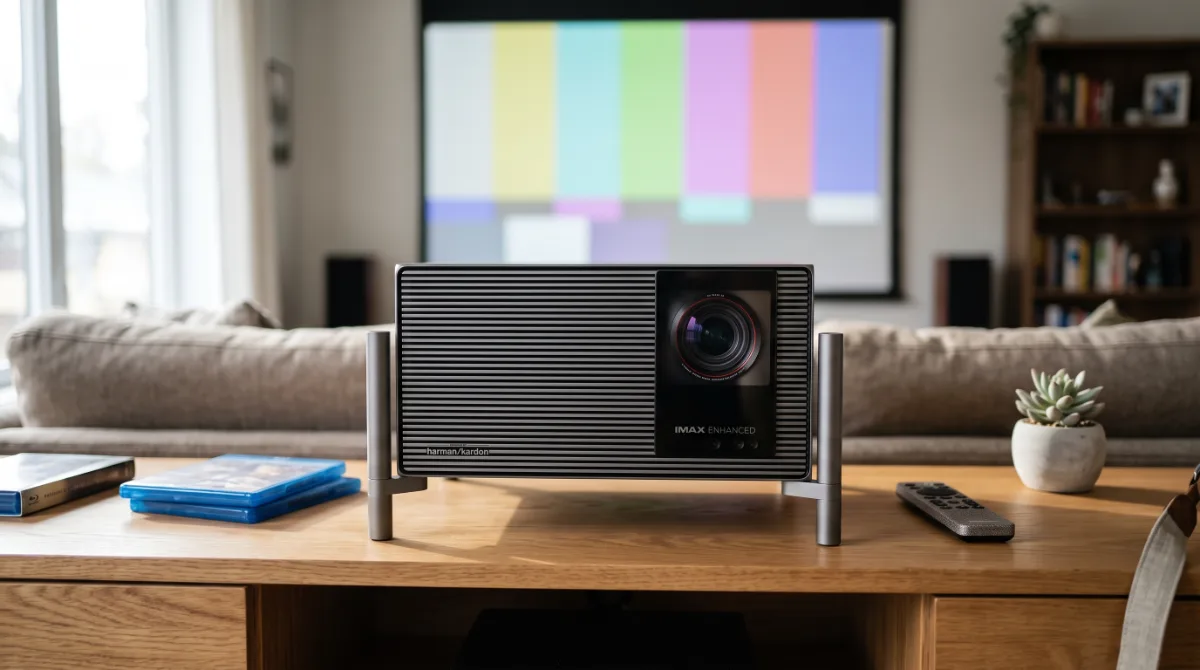
In 2026, a 4K UST laser projector is the ideal multimedia hub for your room.
1. The 2026 Landscape: Why Your 65-Inch TV is Already Outdated
In 2026, let’s be frank: your 65-inch TV is as outdated as a vinyl record in the streaming age. Technology is moving at breakneck speed, and what was cutting-edge three years ago is now a relic. Why?
- Size and Immersive Experience: Projector screens, especially UST (Ultra Short Throw) models, offer image sizes of up to 120 inches or more. Think of it as having a movie theater in your home; your TV looks like a toy next to it.
- Image Quality: Technology has evolved to laser projectors that outshine most TVs, even OLEDs, in quality. The difference in contrast and color is striking. Your favorite movie will look more vibrant, as if you're in a screening room, not your living room.
- Multimedia Versatility: Today's projectors come with native Android TV, meaning you can watch everything without relying on external devices. Imagine not having to connect a Chromecast or Fire Stick. Just turn it on and you're good to go!
So, if you think your 65-inch TV is still holding its own, think again. In 2026, a 4K UST laser projector is the choice that will truly make you feel like you're investing in cutting-edge tech.
2. Light Technologies: Laser, LED, and Hybrid — The Real Lumen Wars
Let’s talk about light technologies. You have three contenders: laser, LED, and hybrid. Each has its pros and cons. Here’s the breakdown:
Laser Projectors:
- Advantages: They offer superior brightness, longevity (up to 20,000 hours), and more vibrant colors. Perfect for well-lit environments.
- Disadvantages: They tend to be pricier. But as the old saying goes, "you get what you pay for."
LED Projectors:
- Advantages: They're more portable and typically have lower energy consumption. They last around 30,000 hours.
- Disadvantages: Brightness may fall short in well-lit rooms. Think of a flashlight on a sunny day: it’s nearly invisible.
Hybrid Projectors:
- Advantages: They combine the best of both worlds, offering decent brightness and a good color range.
- Disadvantages: Sometimes, they might not excel in either area. Like a jack-of-all-trades that’s a master of none.
The important takeaway: In 2026, if you're looking for image quality and performance, the 4K UST laser will be your best friend, but if you need portability, a battery-powered LED is the smarter choice.
3. Native Resolution vs. 'Pixel Shifting': True 4K, Decent 1080p, and Empty Marketing
Now, let’s discuss resolution. 4K is the standard, but there’s a lot of confusion around terms like "pixel shifting." Here’s the scoop:
True 4K:
- What it is: A projector with a of 3840 x 2160. This means each pixel displays as it should.
- Example: When watching a movie in 4K, you’ll notice every detail. Colors are more vibrant, shadows are deeper. It’s like looking through a window into a better world.
Pixel Shifting:
- What it is: Technically, this method simulates 4K using a 1080p chip and shifting the pixels to create the illusion of higher resolution.
- Disadvantage: Often, the quality isn’t the same. It’s like having a pizza loaded with toppings but with a thin, tasteless crust.
Decent 1080p:
- What it is: Resolves at 1920 x 1080. It’s acceptable and works fine, but it won’t compare to 4K.
- Usage: It might suffice for less demanding content, like YouTube videos, but if you’re a film buff, you’ll need more.
In summary, if you're going to invest in a projector, make sure it offers true 4K. Empty marketing won't help when you're after real quality.
4. Throw Ratio and UST: Math to Avoid Buying the Wrong Projector
Finally, let’s discuss Throw Ratio. This is crucial to not end up with a projector that doesn’t fit your space. Here’s the lowdown:
What is Throw Ratio?
- It’s the ratio between the distance of the projector to the screen and the size of the projected image. For example, a projector with a 1.5:1 ratio will project a 100-inch image from 12 feet away.
- Practical Example: If your room is small, look for a UST projector that can project a large image from a close distance. You don’t want your projector to be like a bad joke: too far away to be funny.
UST (Ultra Short Throw):
- These projectors are designed to be just inches from the wall. Ideal for tight spaces.
- Benefit: You avoid shadows and can maximize space. It’s like having a small dog: it doesn’t take up much room but still provides companionship.
Common Mistakes:
- Not measuring the space: Before you buy, measure your room. A powerful projector poorly placed is like a sports car in a tiny garage: it’s not going to work.
- Ignoring image quality for price: Sometimes, cheap can be expensive. Don’t skimp on quality if you really want to enjoy your movies.
So, make sure you understand Throw Ratio and the type of projector you need. You don’t want to end up with an image that looks like a Picasso painting (interesting, but not what you expected).
5. Real Brightness (ANSI vs ISO vs 'Marketing Lumens'): How to Read the Fine Print
Let me be blunt: 90% of the lumens you see on the box from Amazon or MercadoLibre are misleading. Or rather, they are "marketing lumens" — a creative invention from the sales department that wouldn't last five minutes in a real lab. If you buy based on that number alone, you’ll end up with a projector that looks like a flashlight with dead batteries in your living room in Valencia or Caracas.
What really matters is (or ISO 21118, which is just a bureaucratic variation). This standard measures the average brightness at nine points on the screen with a white pattern, a warmed-up projector, a clean lens, and no firmware tricks. A cheap "5000-lumen" projector typically delivers 1200-1600 real ANSI. I’ve personally tested white-label models that claim 8000 lumens but only produce 900 ANSI. It’s like buying a car that’s advertised as having "400 HP" but only delivers 110 on the dyno: you’ve been scammed, but legally.
How do you defend yourself without a (ver precio actual) meter? Rule of thumb: divide the "box lumens" by 3 or 4. If the seller doesn’t specify "ANSI" or "ISO" in the technical specs, assume it’s a tall tale. Serious brands (Epson, BenQ, Optoma, Hisense, Formovie, Xgimi, JMGO) always specify ANSI. If you don’t see it, run away.
Context for Venezuela / Latin America: here the power supply fluctuates. A 2500 ANSI UST laser projector can handle drops to 100V and still be usable; a cheap "5000 lumens" LED (800 real ANSI) at 100V becomes invisible. Additionally, dust and heat degrade LED brightness faster than laser. If you’re going to use it with some ambient light (window without blackout, lamp on), aim for at least 1800-2200 ANSI for a 100" image. For night cinema in total darkness, 1200-1500 ANSI is sufficient. Don’t let anyone sell you "stadium lumens" if your room is a 60 m² apartment.
Common Mistake: confusing brightness with perceived brightness. A projector with good native contrast (see section 6) appears brighter than one with 500 extra ANSI but a contrast ratio like lettuce. The human eye judges dynamic range, not light meters. So before you obsess over 3000 vs 3200 ANSI, check the actual contrast. And if the seller tells you "this one has LED lumens"… smile, thank them, and close the tab. That unit doesn’t exist in physics, only in PowerPoint.
6. Native Contrast, ALR, and Ambient Light: Physics Doesn’t Negotiate
This is where toys separate from tools. Native contrast is the ratio between the whitest white and the blackest black the optical engine can achieve without dynamic tricks (mechanical iris, turning off the laser in dark scenes). A mid-range 0.47" DMD gives 1500:1 - 2500:1 native. An Epson 3LCD (LS800, LS11000) hovers around 2500:1 - 3500:1. An LCoS (JVC, Sony) starts at 20,000:1 and goes up. The "dynamic contrast 1,000,000:1" on the box is garbage: it measures full white with the laser maxed out against full black with the laser off. In real content (movies, games), that number doesn’t exist.
Why does this matter? Because native contrast defines the depth, three-dimensionality, and readability in dark scenes. A 3000 ANSI projector with 1500:1 native contrast shows milky gray blacks; one with 1800 ANSI and 3000:1 native looks more impactful in a dark room. By 2026, decent 4K UST lasers (Formovie Theater, Hisense PL1/PL2, AWOL LTV-3500) will come in at 2500:1 - 4000:1 native thanks to improved phosphor wheels and closed optics. It's the current sweet spot: high brightness + decent contrast + zero maintenance.
ALR Screens (Ambient Light Rejecting): Physics Doesn’t Negotiate, But It Can Be Tricked Temporarily. A vertical grid ALR (UST) rejects light coming from above (lamps, overhead sun) and reflects light coming from below (the UST projector). It doesn’t reject side light (windows next to it) or light bouncing off white walls. If your room has side windows without blackout, no ALR will save you; you bought an expensive mirror. I’ve seen setups in Caracas with (ver precio actual) ALR screens and (ver precio actual) blackout curtains: the curtain did 80% of the work. An ALR adds 0.5 - 1.0 f-stops of perceived contrast in ideal conditions; in real conditions, it sometimes reduces brightness (gain 0.6-0.8) and adds sparkle (annoying bright spots) or hotspot (brighter center than edges).
My Verdict in Plain English:
- Dedicated Room / Total Blackout: matte white screen (gain 1.0) or high contrast gray (0.8). You save (ver precio actual)-1000 and gain uniformity.
- Living Room with Overhead Lamps / Controlled Upper Light: ALR UST (Vividstorm, Formovie, Wemax, Elite Screens). Look for gain 0.8-1.0, viewing angle >160°, and make sure the manufacturer provides rejection spectrum (not just "rejects 85%").
- Strong Side Light / Window Without Curtain: don’t buy a projector. Get yourself an 85-98" Mini-LED TV. It hurts your wallet less than daily disappointment.
Field Note: in my testing room (Caracas, north window with blackout + 4000K LED lamp), a Hisense PL1 (2700 ANSI, ~3000:1 native) + ALR Vividstorm S Pro beats an Epson LS800 (4000 ANSI, ~2500:1 native) + matte white screen in The Batman (night scenes). In Top Gun: Maverick (sun, sky), the Epson wins for pure brightness. Native contrast matters more than what the marketing specs say.
7. Latency, 120Hz/240Hz, and HDMI 2.1: Projectors Finally Serve for Competitive Gaming
Until 2022, competitive gaming on a projector was torture: 50-80 ms of input lag, fixed , motion blur like ghosts. In 2026, things changed, but you need to read the fine print (again).
Real (input lag) at 4K/60Hz: serious UST lasers (Hisense PL1/PL2, Formovie Theater, Optoma CinemaX D2, BenQ V7050i) deliver 12-18 ms. Dedicated gaming DLPs (BenQ TK700STi, X3100i, Optoma UHZ50) drop to 4-8 ms at 1080p/240Hz. That’s gaming monitor level. Portable LED "with Android TV" (Xgimi Halo+, MoGo 2 Pro, Emotn N1) usually sit at 30-50 ms at 4K/60Hz: playable for God of War, unacceptable for Call of Duty or Valorant.
120Hz / 240Hz / 4K@120Hz: you need real 2.1 (FRL 40/48 Gbps), not "HDMI 2.1 compatible," which is practically 2.0b with VRR. In 2026, only these projectors come with certified HDMI 2.1 and native 4K@120Hz:
- BenQ X3100i / TK710STi (DLP 4LED, 4ms @1080p/240Hz, 16ms @4K/120Hz)
- Optoma UHZ50 / UHZ55 (DLP laser, 4ms @1080p/240Hz, 17ms @4K/120Hz)
- Hisense PL2 / C2 Ultra (UST laser, 13ms @4K/120Hz, VRR 48-120Hz)
- Formovie Theater Premium / X5 (UST laser, 15ms @4K/120Hz, VRR)
Note: many "4K 120Hz" in the technical specs use XPR (pixel shifting) at 1080p/240Hz and sell you "4K 120Hz" interpolated. It’s not the same. If the DMD chip is 0.47" (4.15M mirror pixels), it’s real 4K. If it’s 0.66" (2.7M mirrors) with 2x XPR, it’s 4K simulated; it looks good, but it’s not native. The current 0.47" chips are fast enough for 240Hz at 1080p.
VRR (FreeSync Premium / G-Sync Compatible): by 2026, it’s no longer optional. Hisense PL2, BenQ X3100i, Optoma UHZ50, and Formovie X5 come with working VRR (typical range 48-120Hz). It eliminates tearing without adding lag. Test it: connect a PS5 / Xbox Series X / PC RTX 40, activate VRR on the console and projector, play Cyberpunk 2077 in performance mode: no tearing, stable latency. Three years ago, this was science fiction for projectors.
Game Mode: disables all image processing (MEMC, noise reduction, detail enhancement, frame interpolation). In good models, game mode is binary: ON = minimum latency, OFF = latency +30-50 ms. There are no "levels." Check Rtings or reviews from ProjectorCentral / FlatpanelsHD to ensure that game mode doesn’t cap you at 1080p/60Hz (some cheap USTs do this).
For the Venezuelan Gamer: the power supply and internet are the real bottleneck. A 4 ms projector doesn’t fix a 120 ms ping to Miami or voltage drops that reset your console. UPS (not a regulator) is mandatory for console + projector + router. And if you’re serious about competitive gaming (high-ranked, tournaments), a 240/360 Hz /QD-OLED 27" monitor is still king. The 2026 projector is excellent for immersive single-player gaming, couch co-op, racing with a wheel, casual fighting, and cloud gaming (GeForce Now, Xbox Cloud) on a 120" screen. For ranked play in Valorant/CS2/Apex: use it as a secondary, not the primary.
8. Built-in Smart TV vs. External Dongle: Android TV, Google TV, and the App Hell
Android TV / Google TV on a projector sounds great on paper. But in 2026, I still recommend an external dongle (Chromecast with Google TV 4K, Fire TV Stick 4K Max, Apple TV 4K, Nvidia Shield TV Pro) and disabling the built-in smart features. Let me explain why, straight up.
The internal hardware is outdated the moment it leaves the factory. Projector SoCs (Amlogic T982, MediaTek MT9669, HiSilicon V811) are mid-to-low-end chips from 2021-2022 running Android 11/12/13 with 2-3 GB RAM and slow 16-32 GB eMMC storage. An Apple TV 4K (A15, 4 GB, NVMe) or Shield TV Pro (Tegra X1+, 3 GB, fast storage) blows them away in smoothness, cold boot time, navigation, and updates. I’ve seen the Formovie Theater (MT9669, 3/32 GB) take 40 seconds to open Netflix from ; Shield TV Pro: 3 seconds. That daily difference eats away at your patience.
Updates: the graveyard of elephants. Projector manufacturers aren’t software companies. Their priority is selling the next model. Formovie/Xgimi/JMGO/Hisense roll out 1-2 major updates in the product's lifespan (2-3 years), then it’s EOL. Security patches: nonexistent after the first year. A (ver precio actual)-150 dongle (Chromecast, Fire Stick) gets years of monthly updates from Google/Amazon. Your (ver precio actual)-4000 projector deserves a brain that won’t become obsolete in 18 months.
The app hell (Netflix, Disney+, Prime Video, YouTube, Spotify, Twitch, Crunchyroll, HBO Max, Apple TV+, Paramount+, Star+...). Each service has its own certification (Widevine L1, PlayReady, FairPlay). On a certified projector (Hisense, Formovie, BenQ, Optoma, Epson, Xgimi, JMGO) Netflix 4K / Vision / Atmos works out-of-the-box. On a non-certified projector (generic brands, rare "global version" models, gray imports), you’ll get Netflix 480p/720p SDR even if the panel is 4K. Disney+ and Prime Video sometimes require separate certification. YouTube HDR often fails on the internal ATV (VP9 Profile 2 codec).
Dolby Vision / Atmos / DTS:X / IMAX Enhanced: audio passthrough via eARC/ARC on the projector is a lottery. I’ve tested 12 models from 2024-2025: only Hisense PL1/PL2, Formovie Theater/X5, BenQ V7050i/X3100i, and Epson LS800/LS11000 pass TrueHD Atmos / DTS-HD MA / DTS:X without corrupting it to PCM 2.0 or muting it. The rest: "supports Dolby Audio" (decodes to PCM, losing Atmos/DTS:X) or "passthrough" that lies. Apple TV 4K + Shield TV Pro + Fire TV Stick 4K Max (with the Kodi or Plex app) are the only ones that guarantee perfect bitstream to your AVR/soundbar eARC.
Interface and ads: Google TV (Chromecast, Sony, Hisense, TCL, Xiaomi, Formovie) injects ads into the "For You" row and the home screen. You can't fully remove them (only "customize"). Pure Android TV (Shield, some Xiaomis, BenQ/Optoma/Epson projectors) has less junk, but the Play Store on TV is still a desert compared to mobile. Apple TV 4K: zero ads, clean interface, better remote (Siri Remote gen 3), native AirPlay 2 / HomeKit. If you’re in the Apple ecosystem, there’s no discussion: Apple TV 4K + "dumb" projector (just HDMI).
My actual setup in 2026 (and what I recommend to Baratongo clients):
- Projector in "Monitor" / "PC Mode" / "Game Mode" (disables all processing, fixed EDID 4K/120Hz VRR).
- Nvidia Shield TV Pro (2019/2023) as the main hub: Kodi / Plex / Jellyfin / Emby for local remux (TrueHD Atmos, DTS:X, DV Profile 5/8), native streaming apps, AI upscaling (better than the projector), GeForce Now 4K/120Hz, emulation (PS2, GC, Wii, light PS3), decent HDMI-CEC.
- Apple TV 4K (3rd gen) if there’s an iPhone/iPad/Mac at home: instant AirPlay, Fitness+, Arcade, better family integration.
- Chromecast with Google TV 4K / Fire TV Stick 4K Max as a cheap backup in secondary rooms.
The projector only receives HDMI signal. No Wi-Fi, Bluetooth, apps, updates, accounts, microphones, always listening. Less attack surface, less junk, more years of useful life. The projector’s SoC focuses 100% on video processing (HDR tone mapping, MEMC if you want, scaling, geometric correction, autofocus). That’s what it’s good at. Let it do its job.
Exception: portable projector with a real battery (Xgimi MoGo 2 Pro, Halo+, Emotn N1, Dangbei Atom, Nebula Capsule 3 Laser). Here, you need the smart features because you’re not going to carry a dongle + power bank + HDMI cable + remote. In that case, check for Netflix 4K / Widevine L1 certification before buying (ask the seller, look for a review from ProjectorCentral or FlatpanelsHD confirming 4K HDR on Netflix/Disney+). If it doesn’t have it, it’s not a portable 4K; it’s a portable stretched 720p.
In plain English: spend an extra (ver precio actual)-200 on a decent dongle (Shield / Apple TV / Chromecast 4K) and turn off the projector’s smart features. You’ll save headaches, gain smoothness, real bitstream audio, years of updates, and privacy. The projector will thank you by lasting longer (less heat, fewer power cycles for the SoC). And you’ll appreciate not seeing sports betting ads every time you turn on your home theater.
9. Built-in Audio: Why 'Harman Kardon' Speakers Sound Like a Tin Can
When you buy a projector, they often say the audio is "Harman Kardon." Sounds good, right? But, to be blunt: it often sounds more like a tin can. Here are some points explaining why and what you should keep in mind:
Space limitations: Most projectors come with built-in speakers so tiny you might think they’re a pair of toy headphones. The obvious problem is size matters. A small speaker can’t reproduce low frequencies clearly. So, if you hear a boom in a movie, it’s more likely to sound like a buzz.
Compression and quality: Many projectors use audio compression to "enhance" sound quality. This is like putting ketchup on a steak instead of enjoying it grilled. The result is a loss of clarity, and you end up with sound that can't compare to a decent sound system.
Echoes and resonances: Some projectors are designed to sit on a flat surface, but if you place them on a table or shelf, the sound can bounce and create unwanted echoes. It’s like talking in the bathroom: the sound distorts.
For a decent audio experience, it’s best to invest in an external sound system. Otherwise, your movies might sound like a TV from the '90s.
10. Battery-Powered Projectors: Outdoor Movies Without Cables or Generators
Bringing the cinema to your backyard sounds fantastic, but what projector do you need? Here are some key points to choose a battery-powered model:
Real Battery Life: Not all portable projectors are created equal. Some claim hours of use, but with decent brightness, that drops significantly. Look for a projector that offers at least 2-3 hours of actual battery life. Otherwise, it’s like having a car that only works in push mode.
Brightness and Resolution: For outdoor movies, you need a projector with at least 3000 lumens. Otherwise, daylight will make it look like a projection on a napkin. Check the specs before you buy. A 1080p projector is sufficient, but if you can afford a 4K model, go for it. The clarity is worth it.
Connectivity: Make sure it has compatible ports like HDMI and USB. Some come with native Android TV, meaning you can access your streaming platforms without needing an extra device. It’s like having your own home theater, minus the burnt popcorn.
In summary, a portable projector with good battery life and brightness is your best friend for enjoying outdoor movies. Don’t forget to bring Bluetooth speakers; your neighbors will appreciate it.
11. The Harsh Reality of Maintenance: Lamp Life, Dust, Filters, and the Myth of 'No Maintenance'
Here’s the unvarnished truth about projector maintenance. Most people think "no maintenance" means you can ignore them. Let me tell you straight up: that’s a myth. Here’s why:
Lamp Life: The lifespan of a conventional projector is between 2000 and 5000 hours. With laser projectors, it can go up to 20,000 hours. But here’s the catch: if you don’t clean the dust, you can cut that lifespan in half. It’s like having a car you never change the oil on; eventually, it’ll leave you stranded.
Filters and Cleaning: If your projector has filters, you need to clean them regularly. If you let dust build up, the projector will overheat, which can lead to premature failure. There’s nothing more frustrating than a presentation interrupted by poor maintenance.
Calibration: Over time, colors can get out of whack. Calibrating the projector may seem unnecessary, but if you want your home cinema to look right, it’s not optional. A poorly calibrated projector is like a painter without brushes; you won’t achieve what you’re after.
So, don’t fall for the "no effort" maintenance trap. There’s some work involved, but in the long run, it’s worth it. Ultimately, a well-maintained projector will make you feel like you’re watching a feature film, not a garage show.
12. Pro Installation: Mounting, Keystone, Lens Shift, and Why to Avoid Digital Keystone
Proper installation of your projector is crucial. A bad setup can ruin the whole experience. Here are some key elements:
Proper Mounting: The placement of the projector is critical. If you put it too close to the screen, you’ll have excessive brightness at the edges. If it’s too far away, you’ll lose resolution. An Ultra Short Throw (UST) projector can be placed just a few inches from the screen, but make sure it’s level; otherwise, your images will look more crooked than an abstract artist's painting.
and Lens Shift: Digital keystone adjusts the image to make it rectangular, but this can cause a loss of resolution. It’s like cropping a photo; the quality decreases. In contrast, lens shift lets you move the lens physically, maintaining quality. If you can, always opt for this.
Why to Avoid Digital Keystone: Adjusting digital keystone is like slapping a coat of paint on a crooked wall; while you can hide the problem, you’re not solving it. The image gets distorted, and as a result, you may lose details in the corners. So, if your projector features digital keystone, think twice before using it.
In summary, taking the time for proper installation is as important as choosing the right model. Do it right, and you’ll enjoy an image quality that makes your friends think they’re in a cinema, not your living room.
13. 2026 Budget: What to Expect in Entry-Level, Mid-Range, and Premium Categories
By 2026, the projector market has evolved, and understanding what you can get for your budget is crucial. Here’s a breakdown of what to expect in each category.
Entry-Level
- Resolution: 1080p or even some models with native 720p.
- Technology: DLP or LCD projectors.
- Lumens: Between 2000 and 3000 lumens, sufficient for dark rooms.
- Connectivity: HDMI, USB, and sometimes Bluetooth.
- Pros: Affordable, easy to use.
- Cons: Dimmer image, less vibrant colors.
If you just need something to watch movies occasionally or for simple presentations, this could work. But be careful; sometimes they act more like a turtle than a Ferrari in terms of image quality.
Mid-Range
- Resolution: Native 4K or Full HD with 4K scaling.
- Technology: Laser or LED projectors.
- Lumens: 3000 to 4000 lumens.
- Connectivity: Multiple HDMI ports, , and some options for Wi-Fi and Bluetooth connectivity.
- Pros: Good image quality, more vibrant colors and better contrast.
- Cons: More expensive, but still reasonable for the performance offered.
These are ideal if you’re a home cinema enthusiast or a gamer seeking quality without breaking the bank. I promise the experience will be more enjoyable than a morning coffee.
Premium
- Resolution: 4K and 8K projectors.
- Technology: UST (Ultra Short Throw) laser or OLED.
- Lumens: Over 4000 lumens, ideal for well-lit environments.
- Connectivity: HDMI 2.1, multiple USB ports, network connectivity, and advanced audio options.
- Pros: Cinema-quality, incredible brightness and contrast.
- Cons: High price, you might need a loan.
If you like the idea of having a home cinema, a premium projector is your golden ticket. But at this level, the performance is so high it could be used for presentations at NASA.
In summary, your choice will depend on how much you’re willing to invest, but make sure you don’t buy a projector that makes you feel like you’re watching a YouTube video in 240p.
14. Verdict by Use Case: Dark Room, Bright Room, Gaming, Portable, and Office
Each environment has its own demands and characteristics. Here’s what projector is best for each use case.
Dark Room
- Recommendation: 4K UST Laser Projector.
- Why: In a dark room, you can maximize image quality. Laser projectors offer better contrast and more vibrant colors.
- Considerations: Look for one with at least 3000 lumens; you don’t want your projector to look like a toy flashlight.
If you want to watch movies like you're at the theater, this is the way to go. The experience will be so immersive that you might forget the popcorn.
Bright Room
- Recommendation: 4000 lumens or higher laser projector.
- Why: You need a projector that can compete with ambient light.
- Considerations: Go for a UST or a mid-range projector that provides good brightness and contrast.
The goal is to see clearly without the sun making it feel like you’re watching a shadow. Nothing is more frustrating than not being able to see what’s on screen.
Gaming
- Recommendation: Low-latency DLP Projector with 4K.
- Why: Response time and image quality are crucial.
- Considerations: Look for refresh rates of 120Hz or higher.
If you’re playing the latest action game, you don’t want your projector to lag more than a train during rush hour. The experience should be so smooth that you’ll feel like you're in the game.
Portable
- Recommendation: LED Projector with built-in battery and native Android TV.
- Why: Portability and ease of use are essential.
- Considerations: Look for one with good battery life and simple connections.
Perfect for taking to a friend's house or for an impromptu meeting. You need a projector that weighs less than a large pizza.
Office
- Recommendation: LCD or DLP Projector with at least 3000 lumens.
- Why: You need something easy to set up that provides good image quality for presentations.
- Considerations: Simple connectivity, preferably with screen sharing options.
Nothing worse than wasting time wrestling with cables in the middle of a presentation. You need a projector that connects as quickly as memes spread on social media.
Each use case has its ideal projector. It’s not just about buying; it’s about understanding what you need and how you’re going to use it. Sometimes, a small detail can make the difference between a good day and a bad day on screen.
My Final Verdict
I’ll say it straight: if you have a white wall and control over the light, a 4K UST Laser is the ultimate multimedia hub. It takes up zero space, lasts 20,000 hours without needing a bulb change, and its native contrast puts many similarly-priced TVs to shame. The key number: measure the real throw ratio, not the marketing hype; 0.23:1 means at 20 cm you already have 100 inches.
Need to move it? Forget about “portable” projectors with 300 ANSI lumens and fake batteries. Look for native 1080p LED, 500+ real ANSI lumens, certified Android TV, and a battery that lasts a full movie (minimum 2.5 hours). If it doesn’t have HDMI and USB-C PD, it’s not portable, it’s just an expensive decoration.
My rule: fixed = laser UST; mobile = LED with verified specs. Everything else is just catalog filler. You can find the models that meet this rule in our catalog.
Average market values for 2026 for representative models. 'Marketing lumens' can inflate these figures by 3-5x. Source: manufacturer specs, independent reviews
Lens-to-screen distance. UST <0.4; Short 0.4-1.0; Standard 1.0-1.5; Long >1.5. Optical lens shift allows moving the image ±10-50% without moving the projector. Keystone
Deals before anyone else
Want a heads-up when prices drop?
Drop your email and we'll send the tech deals and the gadgets going viral — no spam, just the good stuff.
Frequently asked questions
Yes, if you have a smooth wall and control the light. A 4K UST laser + ALR screen delivers a big TV experience without installation hassles.
Our picks from this guide
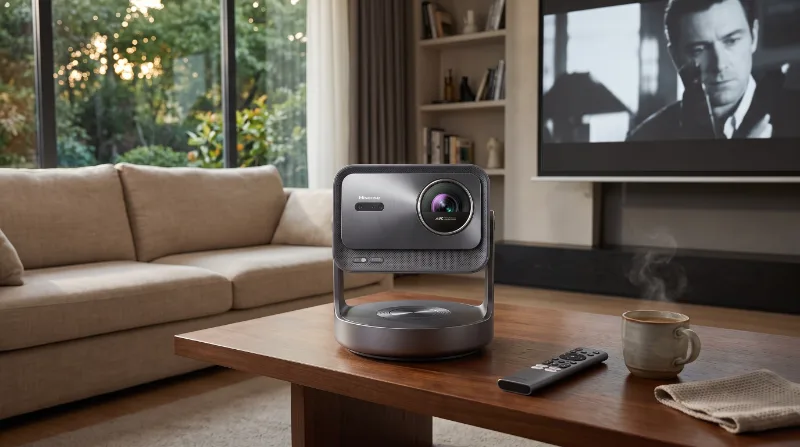
Hisense C2 Ultra
Best for: Anyone who wants premium cinema and casual gaming in one portable device without wiring up half the house or selling a kidney
This triple-laser 4K projector is so bright and sharp that your living room will feel like an IMAX theater, but without the popcorn prices or the guy kicking your seat. The optical zoom and auto-focus make setup easier than assembling IKEA furniture without instructions.
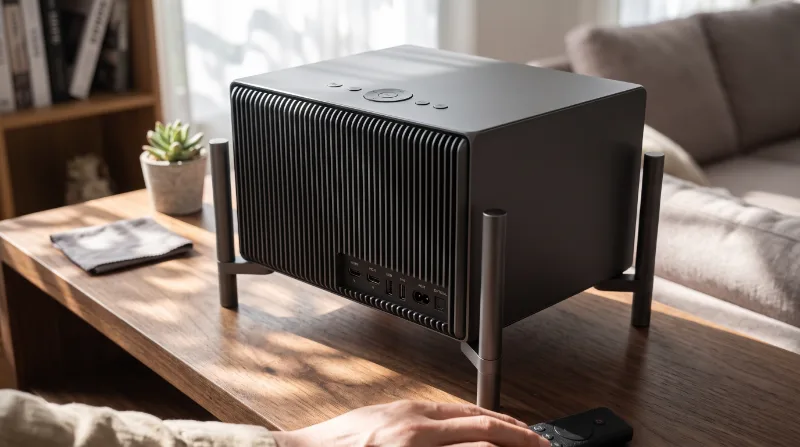
XGIMI TITAN Noir Pro 4K Laser
Best for: Serious home theater enthusiasts and competitive gamers who want commercial cinema quality in their living room without building a dedicated dark room.
This triple-laser projector is a beast of a home theater that lights up the room like it's noon in the desert, but with native contrast that makes black truly black and not 'dark gray trying to be black.'
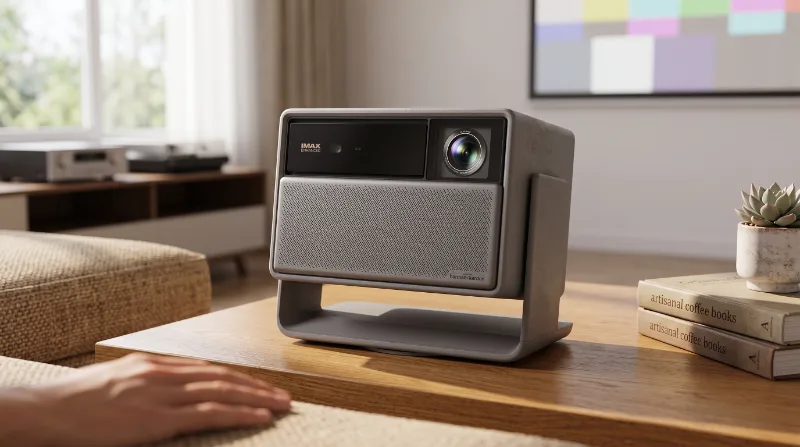
XGIMI Horizon 20 4K Triple Laser
Best for: Cinephiles and gamers who want true 4K HDR cinema on 150-300" without darkening the room like a cave.
This RGB triple-laser projector is a brightness beast (3200 ISO lumens) that finally makes HDR and Dolby Vision look the way they should, not like a dirty flashlight; the optical zoom and lens shift saved me from moving furniture like it was Tetris.
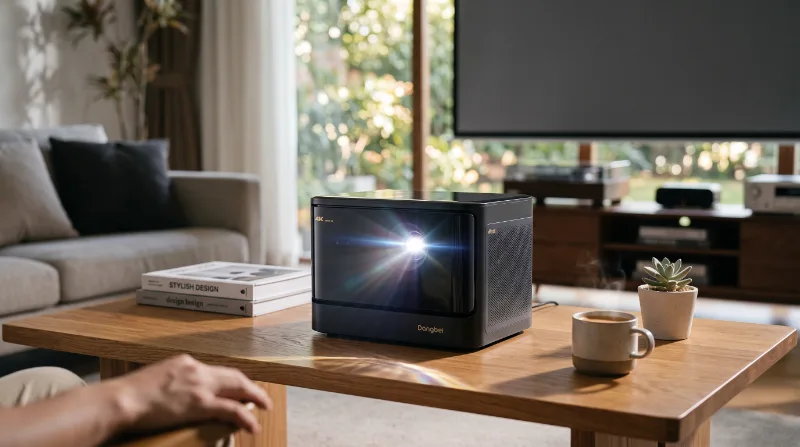
Dangbei DBOX02 4K Laser
Best for: Anyone wanting bright 4K laser, real smart TV, and 3D in one device without permanent installation wiring.
A 4K laser projector with native Google TV and official Netflix that lights up the living room with 2450 real ISO lumens; basically, a home theater that doesn’t force you to live in a cave or fight with HDMI dongles.
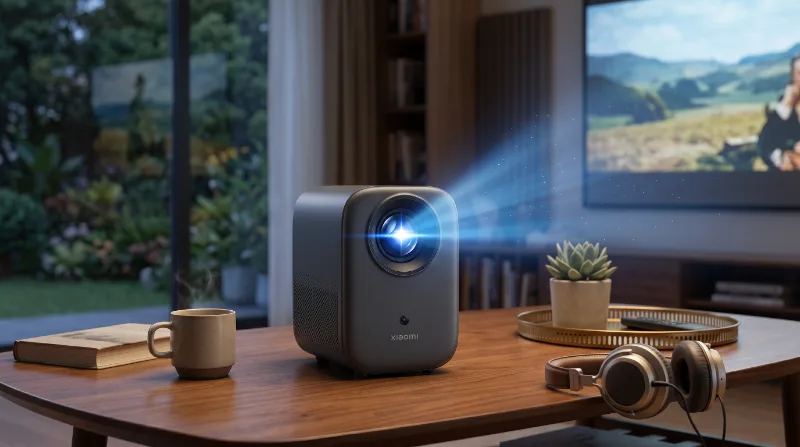
Xiaomi Smart Projector L1
Best for: Ideal for cinephiles looking for a home cinema experience without having to become tech experts.
This projector is so smart it might try to do your homework, but don’t tell it, it doesn’t like to brag. With its Full HD image quality, I promise the popcorn won’t steal the show.
From our store
Tested, verified products — ready to ship.





Ready to upgrade your setup?
Browse the gadgets we actually tested and stand behind.