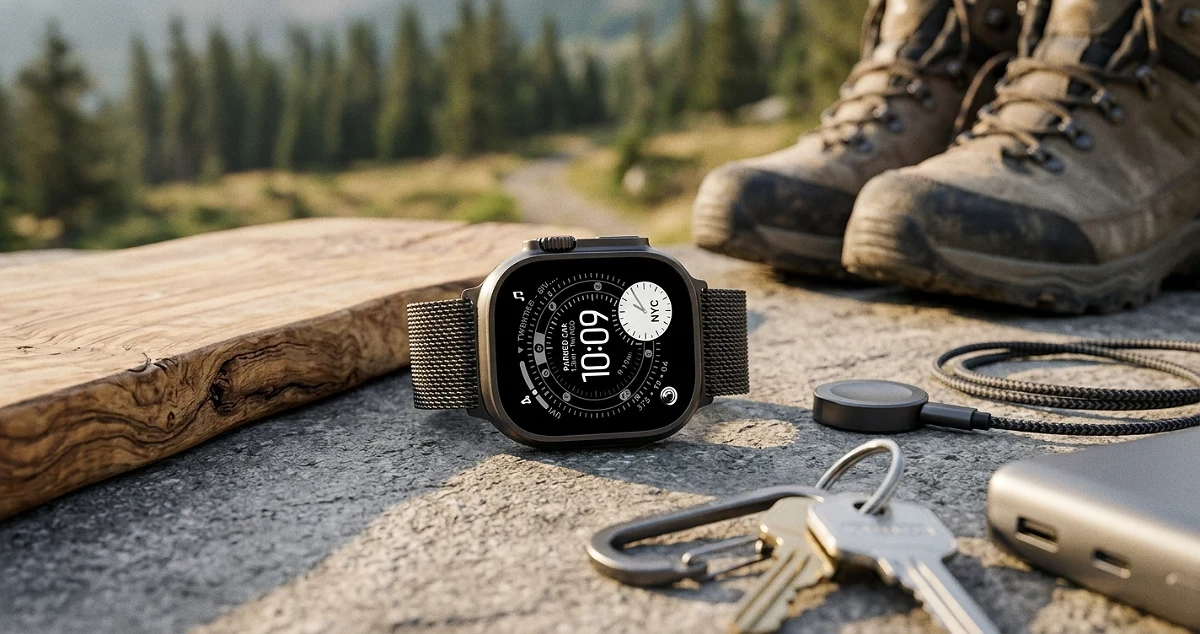

Home and Outdoor Gadgets That Are Worthy in 2026
Gadgets for home and outdoors that solve real tasks in 2026: I review what they provide, their limits and who they are for. Read the selection before choosing.

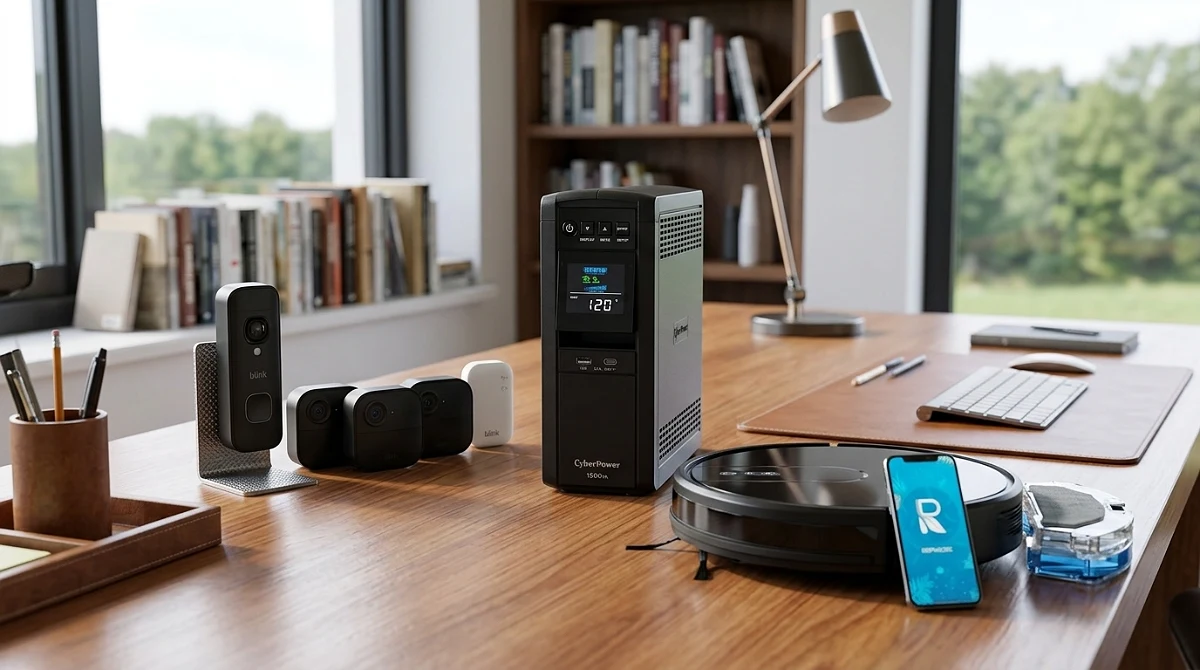
TL;DR
I would choose gadgets for home and outdoors for the specific task they solve, their compatibility and resistance, not for accumulating functions that you will almost never use.
I've got a drawer in my workshop we call "the gadget graveyard." Resting in peace in there: a wifi humidifier I never got around to setting up, two cameras that lost support from the manufacturer, and a robot vacuum that thought it was an explorer and kept getting lost in its own house. Every single one promised to change my life. None survived the first month of real use. I bring this up because in 2026 the smart home and outdoor gadget market is flooded with shiny stuff that sounds incredible on the box and turns into expensive decoration in practice. My filter after years of testing gear — and writing a few checks I regretted signing — is simple: does this solve a task I actually had BEFORE I saw the ad? If the answer's no, that's a want, not a need. Let's get into what actually matters.
What actually makes a home or outdoor gadget worth buying
Here's the key fact: a gadget is worth it when it solves a problem you already had — not when it invents a new one just to "fix" it. Sounds obvious, but 80% of gadgets that flop at home fail exactly there: they're solutions hunting for a problem. Before I buy anything, I ask myself what specific task was slow, clunky, or annoying, and whether the gadget genuinely improves that or just dresses it up with an app.
The second variable — and the most underrated one — is compatibility. Plain and simple: the slickest smart plug on the planet is useless if it doesn't talk to the voice assistant you already have at home, or if it needs a proprietary hub nobody sells anywhere near you. I've watched people buy three different "smart home" brands and end up with three separate apps that don't talk to each other. That's like buying three remotes for one TV. Technically it works. It's also a headache nobody signed up for.
Third leg of the stool: durability, especially for anything outdoors. A gadget exposed to sun, rain, or dust needs a real IP rating, not the word "resistant" printed on the box with zero numbers to back it up. IP65 is not the same as IP44, and that difference decides whether your security camera survives its first rainy season or ends up fogged up inside like a cold glass of water in August.
Fourth: software lifespan. A physical gadget can last for years, but if the manufacturer stops supporting the app or firmware, that device turns into a brick with blinking lights. This happens way more than people think, which is exactly why I lean toward brands with a proven track record over the shiny new thing that dropped three months ago with a thousand suspiciously identical five-star reviews.
And fifth, the most practical point of all: power. A gadget that shuts off every time the power flickers — which around here isn't hypothetical, it's basically a scheduled event — and has no battery backup or auto-reconnect, will burn through your patience faster than a router rebooting mid-game. If it depends on rock-solid power and stable wifi, ask yourself honestly whether your house delivers that every single day.
How to choose based on the task, the space, and how often you'll actually use it
This is where most people get it wrong: they shop based on available space on a shelf instead of the actual job they need done. I break the decision into three specific questions, always in this order, never backwards.
First, the task. What specific problem am I trying to solve? "I want to cut down my electric bill" is not the same as "I want to turn off the AC without getting off the couch." The first one needs a real energy monitor with actual metrics. The second just needs a basic smart plug with a timer. Buying more gadget than the task requires is like using a jackhammer to hang a picture frame — it works, but it's overkill and a waste of money.
Second, the space. Indoor and outdoor are two completely different technical demands. An indoor gadget lives a sheltered life — stable temperature, no rain. An outdoor one needs heat resistance, real dust and water sealing, and in tropical climates like ours, solid heat dissipation, because a midday sun doesn't go easy on plastic. If you're putting a camera or sensor outside, an IP rating isn't a nice-to-have — it's the bare minimum so you don't end up buying the same device twice.
Third, how often you'll actually use it. A gadget you'll use every single day earns better build quality and a longer-lasting battery. One you'll use occasionally can be cheaper, guilt-free. I've seen people overpay for a premium solar charger they use twice a year on a camping trip, when a mid-range model would've done the exact same job. And the flip side happens too: buying the cheapest smart plug in the catalog for something that gets used a dozen times a day, then watching it die in three months because it was never built for that kind of workload.
One common mistake — and I say this because I fell for it myself — is buying the most loaded, feature-packed gadget thinking "I'll probably use that someday." That day almost never comes. Better to buy exactly what solves today's problem, and if you need more later, add another specific gadget for that. Modularity beats the Swiss Army knife approach in about 90% of home use cases.
Smart Plugs: Easy Automation, With Clear Limits
Smart plugs are, in my book, the most honest entry point into a smart home. They're cheap compared to other gadgets, dead simple to install — you literally plug them in and set up the app in minutes — and they solve real problems: turning on a light before you get home, cutting power to your phone charger at midnight so it's not sipping electricity for nothing, having the fan kick on before you wake up in the middle of July.
The real payoff is scheduling and routines. Set the porch light to turn on at dusk without having to remember, or have the coffee maker start ten minutes before your alarm goes off. It's a small quality-of-life upgrade that adds up, like having a quiet assistant who never complains about the schedule.
Now, the limits are real, and I'm not going to sugarcoat them. A smart plug can't handle high loads indefinitely — always check the max amperage before plugging in something like a window AC unit or an iron, because pushing it past that spec is a recipe for a melted plug and a bad scare. It also won't fix old wiring. If your house has thirty-year-old electrical work, the smartest gadget on the market isn't going to compensate for that.
Another hard limit: they depend on stable Wi-Fi. During outages, a lot of models just freeze in their last state or need a manual reconnect, so if your connection drops a lot, look at models with Bluetooth as backup or a physical button on the plug itself — don't rely on app-only control. And outdoors, watch out: not every smart plug is rated for weather exposure, so if you're automating garden lights, specifically look for an IP-rated outdoor version, not an indoor unit dressed up as a universal fix.
For anyone just getting into home automation, my advice is to start with two or three plugs at your biggest daily friction points — the coffee maker, the fan, the outdoor lights — before jumping into more complex systems. It's the cheapest, lowest-risk way to find out if automation actually changes your routine, or if it ends up in the drawer next to my retired humidifier.
Motion and Door/Window Sensors: Useful Alerts Without the Hassle
I'm starting here because it's the most underrated piece of any home security setup. People blow their budget on a camera with more megapixels than their first smartphone, then forget about the twenty-gram sensor that tells them in three seconds someone opened the gate. Plain and simple: the door sensor is what wakes you up in time; the camera is what shows you the replay the next day. I'll take the first one every time.
Door/window sensors work with a magnet and a contact point — when they separate, they send a signal. There's no rocket science involved, which is exactly why they're cheap and reliable. What actually matters is compatibility: if you're running a Zigbee or Z-Wave hub, you get better range and longer battery life, since these sensors aren't leaning on your home Wi-Fi, which already has enough to deal with streaming in the living room. Go the direct Wi-Fi route and installation is easier, but battery drain is thirstier — check it every 4 to 6 months instead of once a year.
Motion sensors (PIR, passive infrared) work differently: they detect moving body heat, not just any shadow crossing the room. The classic mistake is mounting one facing a window with direct sunlight, or near an AC unit — the sensor gets confused by the temperature swing and triggers false alarms at 3 a.m., courtesy of a curtain dancing in the breeze. Put them in corners, about five feet up, aimed at a hallway or entryway, not out toward the street.
For anyone dealing with frequent power outages, the upside of these sensors is that most run on CR2032 or AA batteries that last months without caring about the grid. That's a big point in their favor compared to cameras that need constant power. Here's how I run it at home: door sensor on the front entrance and the garage, motion sensor in the main hallway. Covers the essentials without paying for smart smoke detectors I never fully set up (my fault, I'll own that).
Pros: install in minutes, long battery life, instant phone notifications, compatible with most smart home hubs. Cons: no camera means no visual evidence, and budget models sometimes struggle to reconnect to Wi-Fi after a long outage. Who it's for: anyone who just wants to know "did that door open?" without setting up a full surveillance system. A solid, cheap first line of defense.
Outdoor Security Cameras: What to Check Before You Install One
This is where marketing gets people, and they end up buying a "4K AI" camera that actually records a blurry mess at night because the real sensor inside is tiny. I'll say it straight: the resolution on the box guarantees nothing if the light sensor behind it is garbage. What actually matters in an outdoor security camera comes down to three things: weather resistance, real night vision, and how it handles the connection when the internet slows to a crawl (which, in plenty of areas, is the rule rather than the exception).
First, weather resistance. Look for an IP65 rating or higher. That means it can take direct rain and dust without water getting into the circuitry. Any camera without that specific rating, even if the ad says "water resistant," I treat with suspicion — that's like calling an umbrella "water resistant" just because it's made of fabric. I need the number, not the promise.
Second, night vision. Here's the detail almost nobody explains: the difference between standard IR night vision (black and white, budget-friendly) and color night vision with auxiliary light or a starlight sensor (pricier, but you can actually make out clothing color or vehicle details in the dark — information that actually matters if you ever need to describe someone). If your priority is just seeing who rang the doorbell at midnight, basic infrared covers you. If you want to pick out fine details, you need the bigger sensor, and that's exactly where you'll see the jump in product tier.
Third — and I learned this the hard way installing cameras for a few neighbors — the connection. Cameras that rely 100% on the cloud go silent the moment your internet drops, which in some areas happens more often than anyone would like. I prefer cameras with a local microSD card slot, so recording keeps going even when the router decides to take the day off. That's your backup plan for when the ISP calls in sick.
One classic setup mistake: pointing the camera straight at a bright light source (a streetlamp, a neighbor's floodlight). The sensor "blows out" from the contrast, and at night all you get is a bright white blob surrounded by total darkness — basically useless. Angle it so artificial light doesn't hit it head-on, and you've fixed the problem without spending an extra cent.
Pros: real deterrent effect, recorded evidence, many models now include person-vs-pet detection (fewer false alarms courtesy of the dog chasing its tail). Cons: good cameras with premium cloud plans mean recurring storage costs; outdoor installs need wiring or a battery that drains faster than advertised. Who it's for: anyone who already knows exactly which spot they want covered (entrance, garage, backyard) and isn't buying on a "just in case" impulse.
Solar Lighting: When It Works and When It Lets You Down
Solar lighting is the gadget that gets people the most excited and burns them the hardest when it's done wrong. The pitch sounds perfect: free light, no wires, no electric bill. Reality comes down to three things almost nobody checks before buying: battery capacity, panel efficiency, and — the big one — how many hours of direct sun actually hit the spot where you're installing it.
Plain talk: a solar light needs sun, not just daylight. Stick it under a roof, under a leafy tree, or against a wall where the sun barely grazes it, and it won't charge enough. Come nighttime, you get thirty minutes of dim light before it taps out, like a candle with a tech complex. Here's the number that matters: look for battery specs in mAh (2000 mAh or more for regular use) and panel wattage. If the listing skips both, that's your tell — they're selling the promise, not the product.
Where solar genuinely shines: pathway lights, garden lights, floodlights for patios with a clear shot at open sky, and motion-activated gate lights that only fire up when they detect movement (saves battery instead of running at full blast all night). In a climate with strong sun most of the year across a lot of the country, solar performs better than it does in places with long winters. That's a real edge — one that doesn't always get used well.
Where it disappoints: security lighting that needs to stay on and bright all night in an area with partial shade. That's where solar runs out of gas, and you end up with a floodlight that shuts off at eleven at night — right when you need it most. Irony, installed at the factory. For that job, go with a hardwired setup or a hybrid system with a bigger backup battery.
One practical tip: solar lights with motion sensors last longer because they're not burning battery lighting up nothing all night. They only kick on when needed — like a waiter who shows up the second you raise your hand, and not a second before.
Pros: zero electric bill, no-wire installation, great for outdoor spots far from any outlet. Cons: 100% dependent on sun exposure, performance drops during long rainy stretches, and the battery degrades over the years — replacing it isn't always simple on sealed models. Who it's for: patios, gardens, and walkways with solid direct sun exposure. If your install spot sits in shade most of the day, save your money and look elsewhere.
Smart Lights for Patios and Balconies
I'm starting here because it's the first thing everybody installs — and the first thing everybody gets wrong. People buy a smart bulb thinking it's about to turn their balcony into a nightclub, use it for three days, then go right back to the regular light switch. That's not the bulb's fault. That's an expectations problem. Plain talk: an outdoor smart light earns its keep on three things and three things only — real water resistance (not the kind printed on the box), schedule-based automation, and low power draw. Everything else is garnish.
The number nobody tells you about is the IP rating. Installing a light on a covered balcony? IP44 will hold up fine. Putting it somewhere it'll take direct rain, or out in the garden with zero cover? You need IP65, minimum. I've seen people install "outdoor" LED strips that, two rainy months later, have a corroded connector and start flickering like an '80s disco light. That's not a smart gadget anymore — that's an electrical problem with Bluetooth attached.
Second thing that matters: the protocol. Wi-Fi direct is simpler to set up, but it hammers your router if you've got six bulbs connected. Zigbee or Thread need a hub, but they sip less power and respond faster. For a house with two or three outdoor lights, Wi-Fi is fine. If you're already running cameras, sensors, and planning to add more to the ecosystem, that's when a hub earns its keep. Here's the thing though: a cheap hub set up badly causes more headaches than having no automation at all — it drops connection, needs constant resets, and you end up flipping the light on with the good old wall switch. Pure irony: buying smart tech just to end up using your grandmother's light switch.
There's one issue that gets ignored a lot here: power outages and voltage swings. A smart bulb that doesn't handle reconnection spikes well loses its settings every time the power comes back, and you're stuck re-pairing it with the app all over again. Look for brands that support automatic reconnection after an outage, and if your area deals with frequent fluctuations, consider adding a voltage regulator to the patio line. Not glamorous, but it saves you from reconfiguring bulbs every week.
General pros of this category: schedulable, track energy use, integrate with voice assistants, and give you a real sense of security by faking presence when you're not home. Cons: dependent on your home network, some apps are a brutal downgrade in usability, and real-world durability varies a lot more than the marketing suggests. Note: buy these based on IP rating and protocol, not on how many colors they cycle through. That neon pink setting gets used once for the photo and never again.
Home Weather Stations: Useful Data or Just Decoration
Let's be blunt here: most weather stations sold as a "smart gadget" are basically a thermometer with delusions of grandeur. They measure indoor temperature and humidity, something your phone already tells you more accurately, because it's pulling from a network of real weather sensors, not some plastic sensor sitting on your living room shelf.
Where they actually earn their keep is when they solve one specific job: monitoring a space that the general forecast doesn't reflect. A greenhouse, a home server closet, a pet enclosure, a basement that likes to get damp. That's where the station stops competing with the weather app and starts complementing it with hyperlocal data you actually care about. The number that matters is humidity sensor accuracy: budget units run an error margin as wide as 8-10%, while mid-range ones sit around 3-5%. If you're making real decisions with that data — like when to vent a grow room or protect electronics — that gap isn't cosmetic. It's the difference between acting in time and acting too late.
Stations with outdoor sensors that talk to the base via RF are the ones that actually justify their existence, because they give you the outdoor reading (yard, garden, patio) without making you walk outside to squint at an old-school thermometer nailed to the wall. Compared to just opening a weather app, the advantage is real-time tracking of your specific microclimate, which matters most if you've got sensitive plants or pets living outdoors. The downside: those outdoor sensors run on batteries you'll need to swap, and in humid climates, contact corrosion is a recurring headache nobody puts on the box.
My honest take: if the only thing you're going to do with it is glance over and say "huh, 80 degrees," save yourself the gadget and just check your phone. But if you've got a specific need — growing plants, sensitive pets, gear that hates humidity — it's an investment that pays for itself by preventing losses. Home weather stations are one of the rare categories where 80% of buyers use them as expensive decor and the other 20% genuinely need one. Be honest with yourself about which group you're in before you buy.
Pros: hyperlocal data, useful for specific niches (gardening, pets, equipment rooms), some models integrate with irrigation or ventilation automation. Cons: redundant if you're just using it as a general weather app replacement, cheap sensors are inaccurate, outdoor battery maintenance is a hassle. Note: check the humidity sensor's accuracy range before buying — it's the number that's most often buried in the spec sheet.
Bluetooth Trackers for Keys, Bags, and Gear
This is, without exaggeration, the category with the best ratio of what the gadget costs you versus the headache it saves. A coin-sized Bluetooth tracker solves a universal problem: humanity loses its keys with almost comedic regularity. I've got one clipped to my AC remote myself, because in this house that remote hides better than a secret agent.
How it works is simple: the tracker broadcasts a Bluetooth signal, and your phone — along with the wider network of other users on the same system — helps pin its location even when it's far from you. The spec that actually matters is real-world range, not the marketing number. In open outdoor spaces with no obstacles, a good Bluetooth tracker hits roughly 200-400 feet; inside a house with concrete walls, that number drops easily to 50-65 feet. If a listing claims "600+ feet of range" without specifying the conditions, take it with a grain of salt, because in practice that ideal number almost never holds up.
The real advantage of these gadgets shows up when they're backed by a large community network: if you lose your bag in public and someone else running the same app walks by (without that person doing anything or even knowing), your tracker anonymously reports its location. The bigger that user network, the better off you are when you lose something far from home, not just somewhere in your own apartment. That's exactly why the bigger-name brands in this space outperform cheaper alternatives with smaller user bases — the hardware is similar, but the network behind it is what actually makes the difference.
Real-world use cases here: people using these on luggage for travel, on bikes and motorcycles as a deterrent (it's not GPS tracking in real time, but it helps if the thief doesn't know it's there), clipped to work bags, and even on small pet collars for home use — though for that, there are more specialized options with real GPS, not just Bluetooth. The common mistake is expecting it to behave like satellite tracking. It's not. It's short-range with crowdsourced help, so if your item goes missing somewhere with nobody running the app nearby, you're effectively blind until someone walks by.
Pros: battery life measured in months or up to a year, tiny form factor, intuitive apps, a "ring" feature for close-range searching. Cons: real-world range limited by obstacles, dependent on the user network, doesn't replace real GPS tracking for vehicles or larger pets. Note: for genuinely valuable items (a motorcycle, international travel luggage), pair the Bluetooth tracker with insurance or a physical lock. The tech helps, but it doesn't replace basic prevention.
Portable Power Banks and Power Stations for Being Out and About
I'll start with the question I get most at the store: "which power bank should I buy?" My answer is always the same: it depends on what you're trying to keep alive, not on how many mAh is printed on the box. A budget-tier 10,000mAh power bank will save your phone on a beach trip to Choroní or during a long line at the bank. A 500Wh-plus portable power station is a different league entirely — that'll keep a router running, power a mini fridge, or run a fan through one of those blackouts that have practically become a national tradition around here.
The number that actually matters is real-world efficiency, not the rated capacity. A power bank advertises 20,000mAh, but between voltage conversion and heat loss, you're realistically getting 60-75% of that capacity in usable charge. In plain terms: if it promises five full phone charges, budget for three or four. That's not false advertising — it's basic DC-DC conversion physics — but almost nobody selling these will tell you that straight up.
For camping trips, beach days, or just having backup during unreliable power in your area, I prioritize three things: USB-C output with real Power Delivery (actual fast charging, not a fairy tale), multiple ports so you're not fighting your family over who charges first, and physical durability if it's for outdoor use — IP54 at minimum if it'll be anywhere near water or dust. The bigger portable power stations, paired with a foldable solar panel, are the mid-to-premium tier investment that genuinely makes sense if you live somewhere with frequent outages. That's not a luxury purchase — that's personal infrastructure.
A mistake I see constantly: buying the biggest battery available without thinking about weight. A 1000Wh station weighs about as much as a small microwave. If you're planning to haul that in a backpack on a hike, you'll regret it by mile two. For real portable use, the 10,000-20,000mAh range in power banks, or 300-500Wh in power stations, is the sweet spot between runtime and portability.
My verdict: for your phone and small devices, go with a mid-range power bank with PD and multiple ports. For backing up small appliances or working remotely through outages, a portable power station is one of the rare "gadget" purchases that actually changes your day-to-day life, not just your social media feed.
Portable and Outdoor Fans: Battery Life vs. Raw Power
Here's where people make the same mistake as with batteries: they assume bigger blades and more turbo decibels mean a better fan. Not necessarily. A rechargeable portable fan lives and dies on the balance between RPM, battery size, and blade design. Cram too much power into a small battery and you get 40 minutes of strong breeze before it dies right when you need it most — like that buddy who swears he'll help you move and then vanishes the second the couch needs carrying.
Desk or neck fans running 4000-5000 mAh batteries typically get 4 to 8 hours on low, but that number crashes to 2-3 hours in turbo mode. The spec almost nobody actually reads is real RPM output and noise level in decibels. A decent quiet fan runs around 25-35 dB on low — quiet enough that you'll double-check it's actually on — while a cheap one with no acoustic engineering can sound like a blender on full blast even in normal mode.
For outdoor use — camping, patios, a stall if you run a business — the priorities shift. Look for dust and splash resistance (IP44 rating or better), a stable base so it doesn't tip over in the wind, and ideally solar or USB-C charging so you're not tied to an outlet. Clip-on fans or the kind that attach to camping tables are handy, but watch out: a lot of budget models have weak motors that feel great in an air-conditioned store and fall flat under real sun in Maracaibo or Barquisimeto.
One use case that comes up constantly in Venezuela: power outages combined with heat. In that scenario, a battery-powered fan isn't a luxury — it's the difference between sleeping and not sleeping. My honest take: for occasional home use during blackouts, a portable fan with a mid-size battery and a quiet mode does the job. If you're using it constantly outdoors — work, sales, events — spend more on a mid-to-high-tier model with a bigger battery and sturdier build. That's where you feel the gap between "makes it through the afternoon" and "dies halfway through the shift."
Compatibility, Wi-Fi, and Ecosystems: Don't Buy Blind
This is the line that separates an actual smart home from a drawer full of gadgets that never talk to each other. Before you buy any smart plug, camera, or sensor, ask yourself one thing: which ecosystem does it actually play with? Google Home, Amazon Alexa, and Apple HomeKit don't always cooperate, and grabbing devices from different brands without checking compatibility first is a guaranteed way to end up with four apps on your phone, each one nagging you to update right when company's over.
The Matter standard, well established by 2026, helped unify a lot of this. Devices with the Matter logo are supposed to work seamlessly across ecosystems. "Supposed to" is the key phrase there. I still run into cases where a Matter motion sensor works flawlessly with Google Home but lags noticeably on HomeKit. Before buying, I check reviews that specifically mention compatibility — not just the sticker on the box.
Another classic mistake: buying Wi-Fi gadgets without thinking about your router. If you've got eight connected devices — cameras, plugs, bulbs, a smart fan — running on a basic single-band router, you're going to get lag, dropouts, and headaches. Bottom line: your router is the backbone of your smart home. Before you start adding gadgets, make sure you've got a decent dual-band router or, better yet, a mesh system if your house is on the bigger side.
Outdoors, compatibility gets even trickier. Security cameras or sensors living outside need a strong Wi-Fi signal at range, and that's where a range extender or mesh setup stops being a nice-to-have and becomes a requirement. I've seen cameras that look great on paper turn useless because the signal just doesn't reach the backyard.
My final piece of advice here: before buying the shiny gadget, check three things — ecosystem compatibility, how stable your network actually is, and whether the device has local control or depends entirely on the cloud (if your internet drops, does your smart bulb just get stuck "on"?). Buying piecemeal with no plan is like building a puzzle from pieces out of different boxes — each one looks fine on its own, but they never quite fit together.
Weather Resistance, Maintenance, and Lifespan
I'll give it to you straight: the spec that actually matters on an outdoor gadget isn't how many "smart modes" it has — it's the IP rating. That two-digit code nobody reads is the difference between a gadget that lasts three years on your patio and one that becomes an expensive paperweight after the first storm. IP65 means protected against water jets and dust; IP66 handles stronger jets; IP67 survives temporary submersion. If the seller just says "water-resistant" without giving you the actual number, be skeptical — that's marketing with no specs behind it, or as we'd say, a nice story and nothing more.
Venezuela's climate doesn't go easy on gear: sun in Maracaibo hot enough to crack rock, downpours in Caracas that feel like the sky just gave up all at once, and coastal humidity that rusts through anything, including your optimism. A smart doorbell or outdoor camera without solid sealing, in my experience testing several, lasts somewhere between six months and a year before the lens fogs up from the inside or the speaker starts sounding like an old transistor radio. Well-sealed models, on the other hand, I've watched survive two or three rainy seasons without blinking. That resistance gap really does show up in your wallet down the line, even if you can't see it on day one.
Maintenance matters too, and almost nobody talks about it. A smart sprinkler or solar outdoor camera needs its solar panel or nozzle cleaned every two or three months, because dust and salt air (if you're near the coast) quietly tank performance without warning you. It's like skipping oil changes on your car — it still runs, just worse and worse, until one day it just doesn't start. Gadgets with replaceable batteries win here by default: when the battery degrades — and they all do, that's physics, not bad luck — you swap it out cheap instead of tossing the whole unit.
Real lifespan, the number the box never tells you, comes down to three things I can actually back with usage data: quality of the rubber seals (they dry out and crack under sun, and that's your entry point for water), battery type (lithium outlasts generic cells by a wide margin), and whether the gadget still gets active firmware updates. A device abandoned by its manufacturer after a year and a half, even with perfect hardware, becomes a security risk or simply stops playing nice with newer apps. The real question to ask before buying isn't whether the gadget looks good in the photo — it's whether the brand is still pushing updates.
Common mistakes I keep seeing: mounting solar cameras or lights facing north instead of catching direct sun (in Venezuela, south-east orientation usually grabs more usable hours), skipping extra silicone sealing on outdoor cable runs even when the gadget claims to be weatherproof, and storing the remote or hub in a damp, unventilated spot like a garage. That last one kills more smart controllers than the rain ever does.
My final picks by use case
I'm not going to cheat you with one generic "buy this" recommendation, because every household has different needs, and shopping by hype is the fastest way to buy something that ends up in a drawer within a month. Let's go case by case, real-world style.
For basic outdoor security (gate, entrance, backyard): I look for cameras with at least an IP65 rating, real infrared night vision (not software "night mode," which is like asking someone half-blind to describe a painting without their glasses), and local microSD storage on top of cloud backup. Cloud storage is great until the internet drops right when something actually happens — that's when the local card saves your bacon. Mid-range nails this job; you don't need the premium AI camera that can tell dog breeds apart if all you want to know is who rang the doorbell.
For the yard or a garden with plants: a smart irrigation system with an actual soil moisture sensor — not just a timer — is the difference between real water savings and watering on a schedule like it's 1995. This is one spot where paying up for something with a reliable app is worth it, because the water savings show up on your bill, and your plants don't die the one week you go out of town.
For indoor control (lights, outlets, climate): compatibility comes first, full stop. Before buying any smart plug or bulb, check that it actually speaks the same language as your hub or your phone — Wi-Fi direct is simpler, Zigbee or Matter is sturdier once you've got several devices running. Buying brands that don't talk to each other is like building a soccer team where nobody speaks the same language: everyone's skilled individually, but the team is chaos.
For outdoor spots with full sun exposure (balconies, rooftops, terraces): I only consider gadgets with a polycarbonate or anodized aluminum housing — never generic plastic that turns yellow and brittle after a year of direct sun. This is where paying for the premium tier actually makes sense, because whatever you save buying cheap gets eaten up when you're replacing it twelve months later.
For anyone just getting started with smart home gear: don't buy ten gadgets at once. Start with one thing that solves a real annoyance — the smart plug that reboots your router when it freezes, the gate camera that pings you when a delivery shows up — and build from there. Stacking gadgets with no plan is collecting, not automating.
My philosophy stays the same across every category: compatibility first, real-world durability second, extra features a distant third. A gadget that does one thing well and lasts three years beats one that does twenty things and dies in the first rainstorm.
My final verdict
Straight talk: a gadget that promises fifteen features and actually delivers three is just a power strip with more outlets than your house will ever need. I'd rather have the device that solves one specific problem and solves it well, shrugs off sun, rain, or a curious cat, and connects to what you already own without a fight. That's the whole secret.
In plain English: before you fall for the spec sheet, ask yourself what real problem you're solving today — not in some hypothetical future where you'll suddenly use all fifteen features. What actually matters is compatibility and real durability under daily use, not the marketing copy.
For outdoor gear, solid mid-range with good sealing beats premium with flashy specs that folds after the first rainstorm, every time. For the home, prioritize whatever integrates without a headache.
Would I buy these? Yes — but picking with this logic, not chasing hype. If you want to skip the trial and error, I already did the legwork for you: check out the curated lineup in our catalog and shop with your head, not your impulse.
Deals before anyone else
Want a heads-up when prices drop?
Drop your email and we'll send the tech deals and the gadgets going viral — no spam, just the good stuff.
Frequently asked questions
I would start with one that solves a common annoyance, such as a smart plug to automate a lamp or an opening sensor to receive alerts. Before choosing, I would confirm that it is compatible with the Wi-Fi network and ecosystem that I already use.
Our picks from this guide
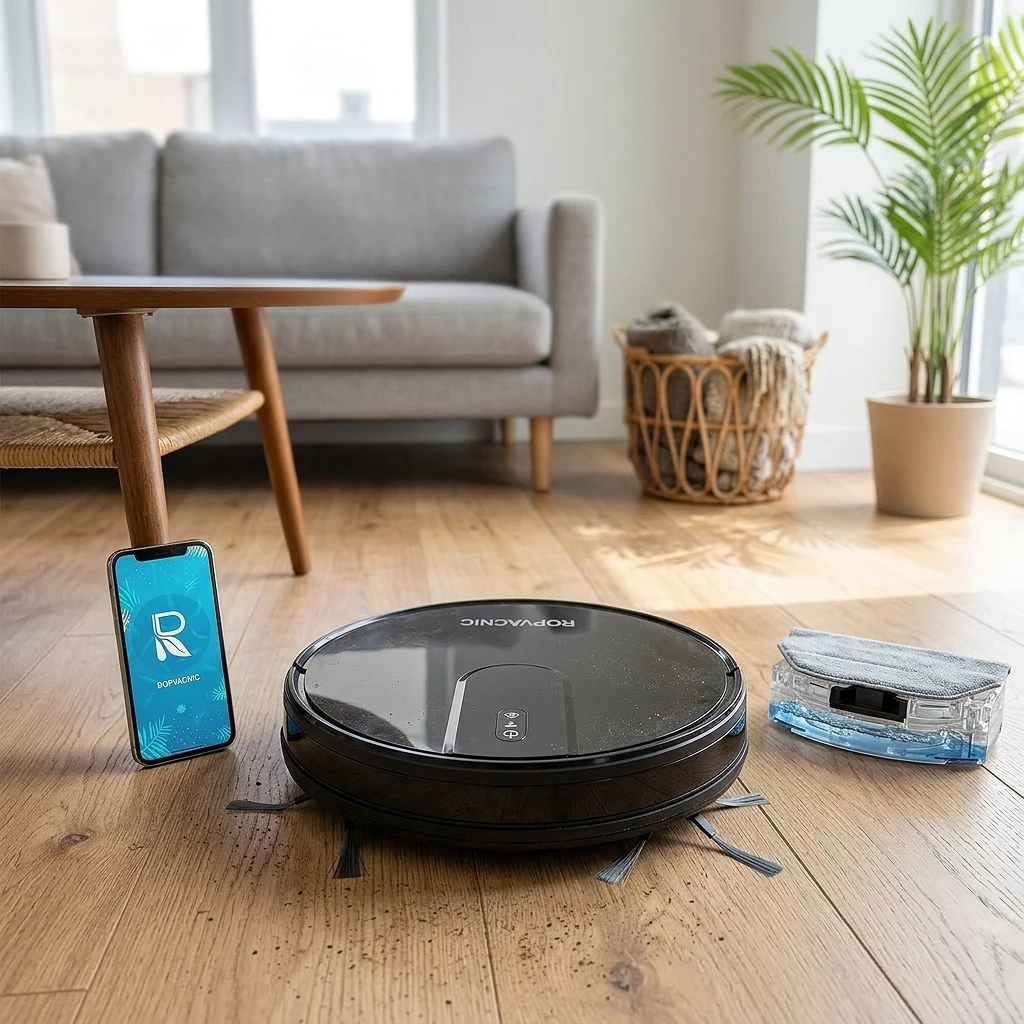
ROPVACNIC Robot Vacuum Cleaner and Mop 2 in 1
Best for: Ideal for those who want clean floors without lifting a finger, especially in medium-sized apartments or homes.
This little robot vacuums, mops and avoids obstacles with more grace than me trying to avoid the toys on the floor at 2am, all controlled from the cell phone while you are still on the couch.
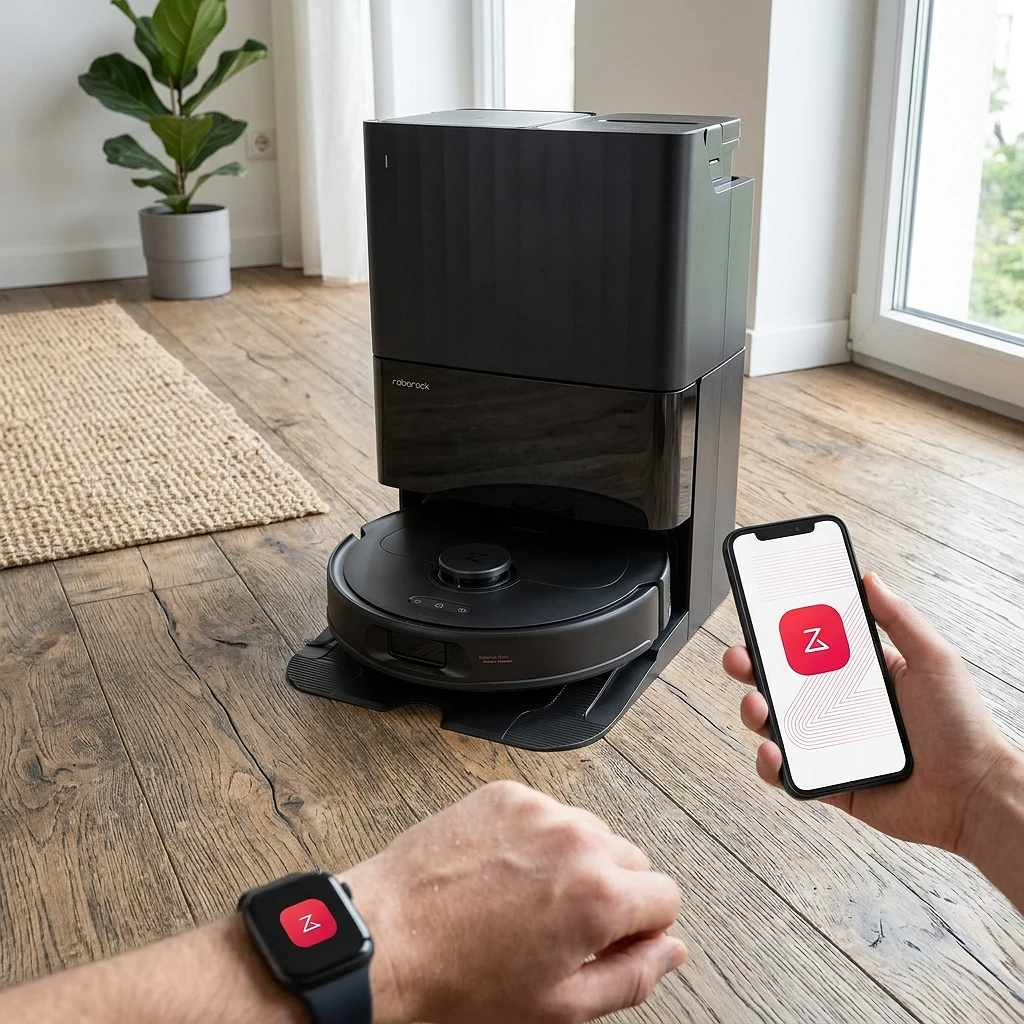
Roborock Qrevo S Pro Robot Vacuum and Mop
Best for: Ideal for those who want to delegate home cleaning almost completely and do not mind investing in high-end home robotics.
This robot sucks so hard (18,500Pa) that it's probably better at vacuuming than you, and it washes its mops only with hot water so you never have to touch that suspicious little sponge.
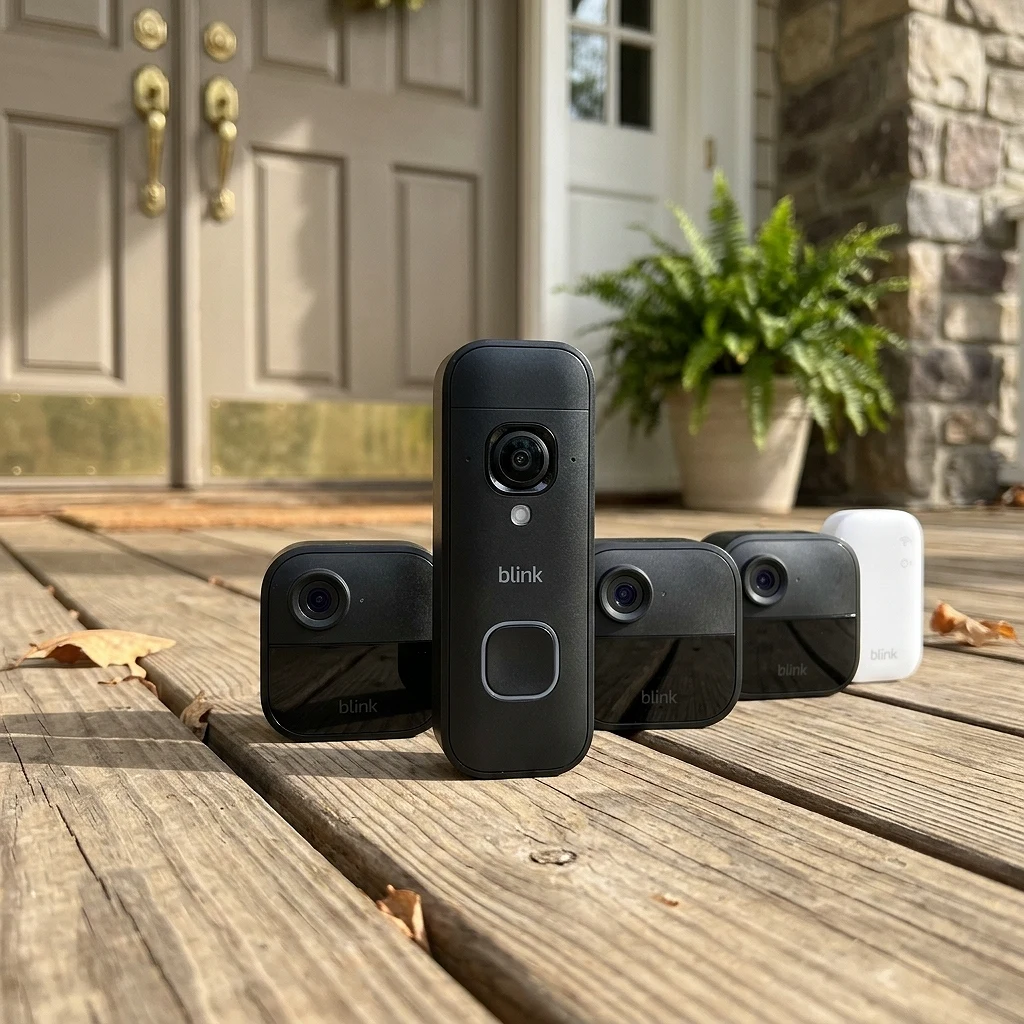
Blink Outdoor 4 + Battery Doorbell 2K+ (3 cameras + 1 doorbell)
Best for: Ideal for those who want to monitor the entire facade of their house without cables, without installation dramas and without recharging batteries every now and then.
This combo gives you a complete digital eye for the entire house: 1080p cameras outside and a 2K doorbell, with a battery so long that you almost forget it exists until Alexa reminds you.
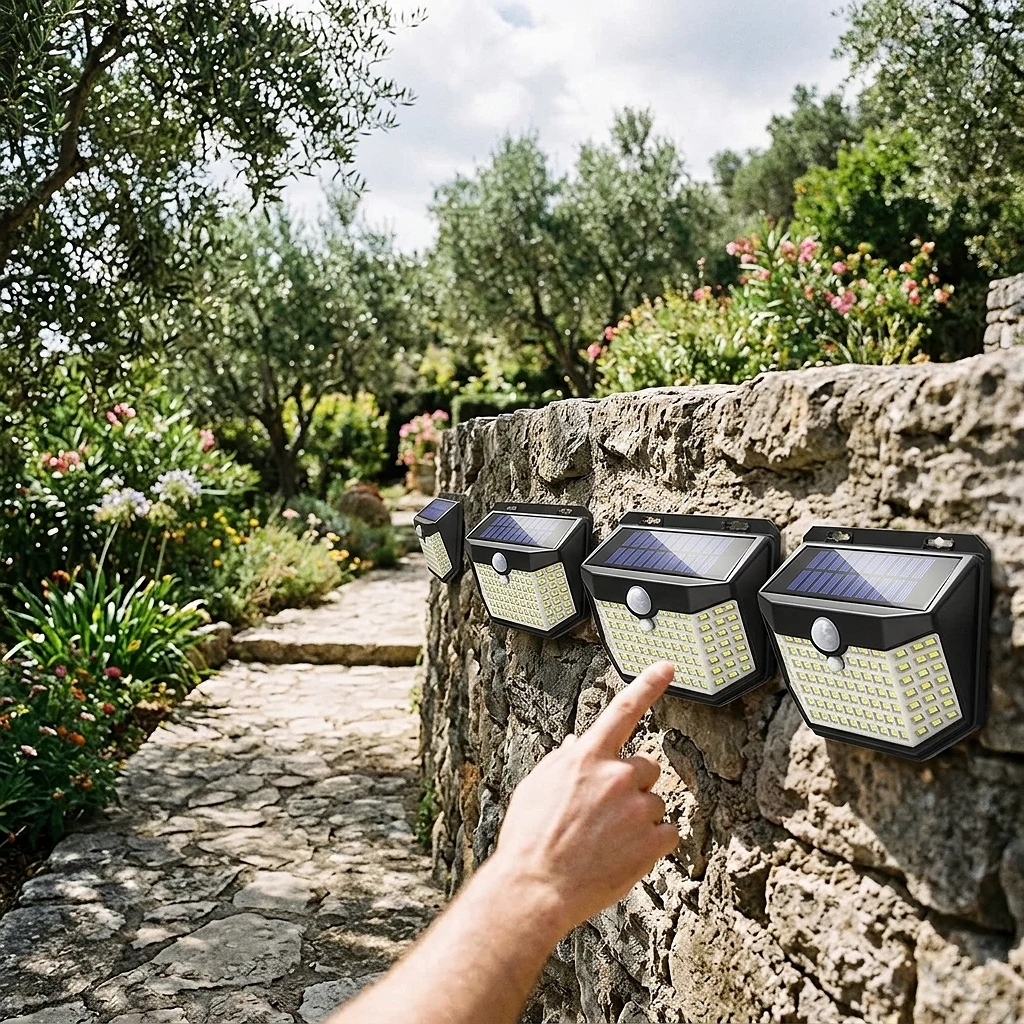
HMCITY 120 LED Solar Lights with Motion Sensor (6 Pack)
Best for: For those who want to illuminate a garden, patio or entrance without cables or surprises on the electricity bill.
These little lights are activated by your presence as if they were your secret fans, and with 120 LEDs per unit they illuminate the patio without you having to lift a finger (or pay the electricity bill).
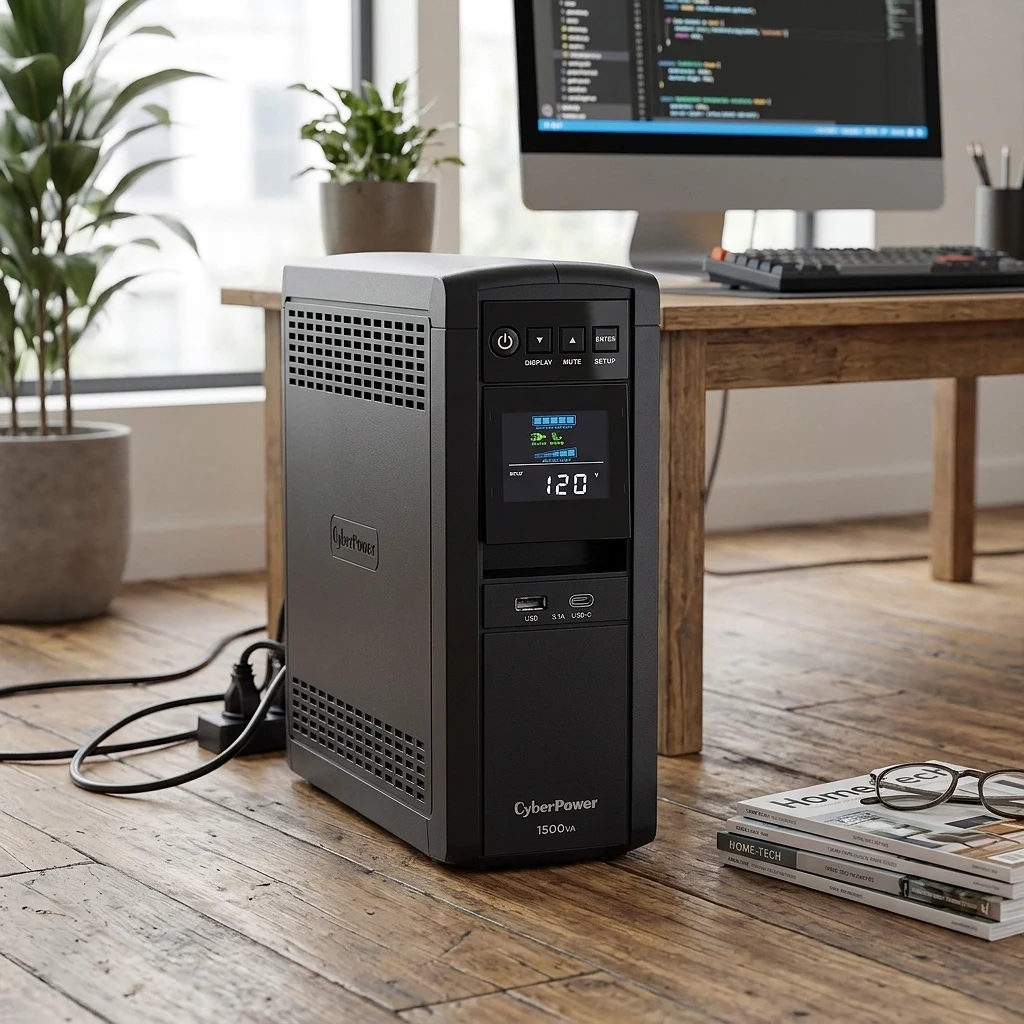
CyberPower CP1500PFCLCD UPS 1500VA/1000W
Best for: Gamers, home offices and anyone in Venezuela who is terrified of a power outage eating away at their PC or unsaved work.
This UPS is the silent bodyguard of your PC: when the power goes out, it continues working as if nothing had happened, while you run to save the document that 'you were going to save in a moment'.
From our store
Tested, verified products — ready to ship.


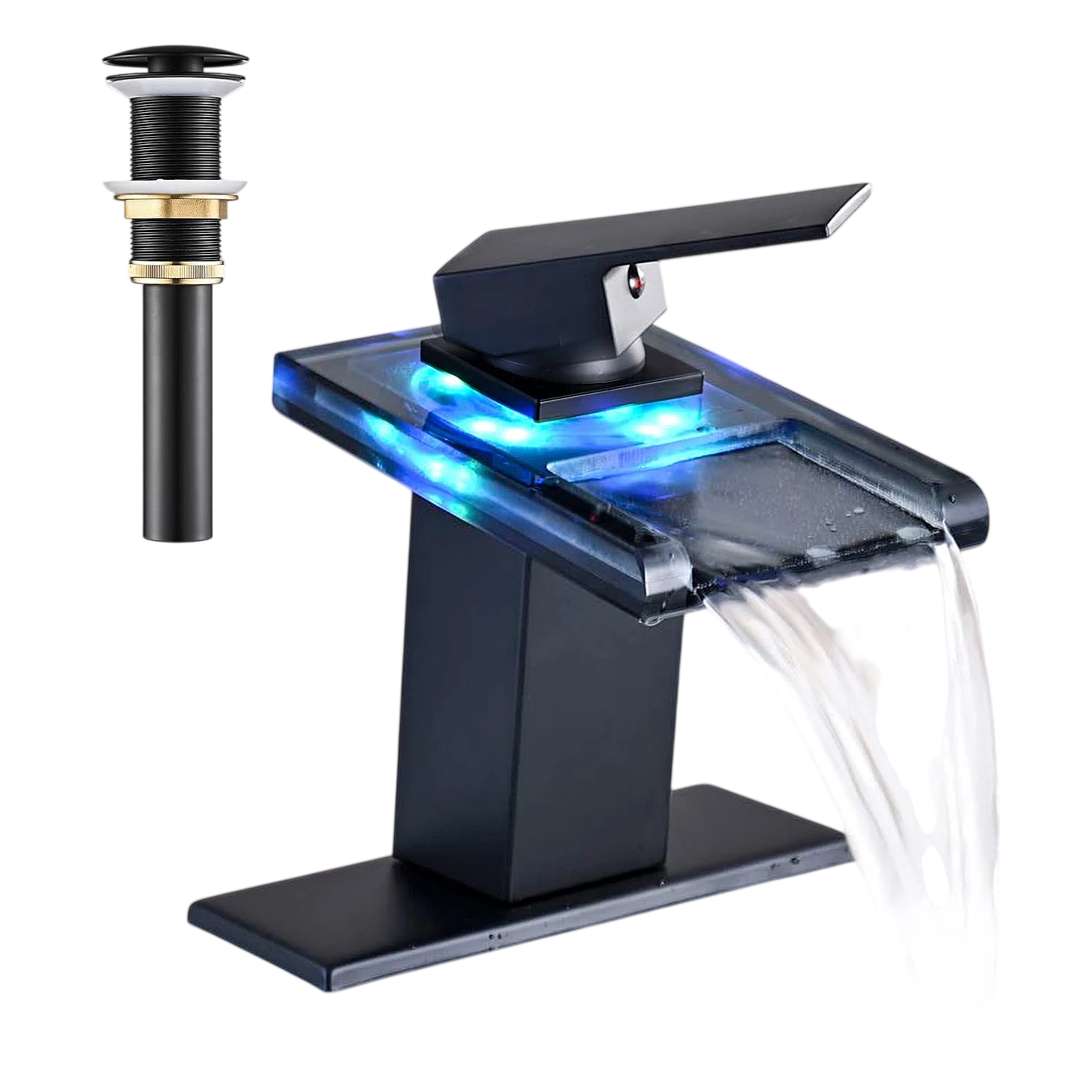
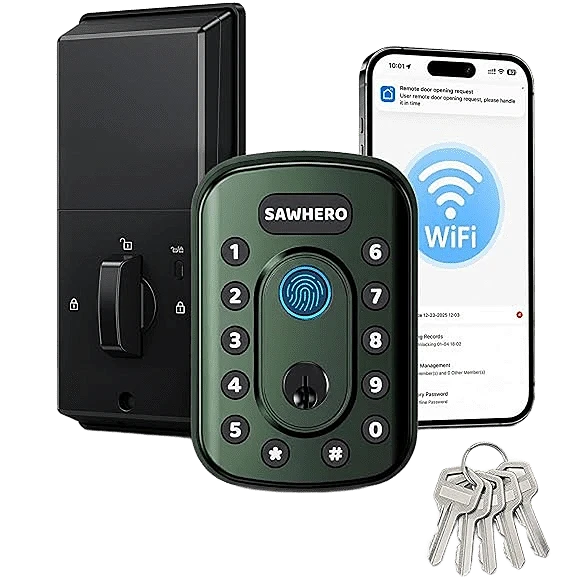
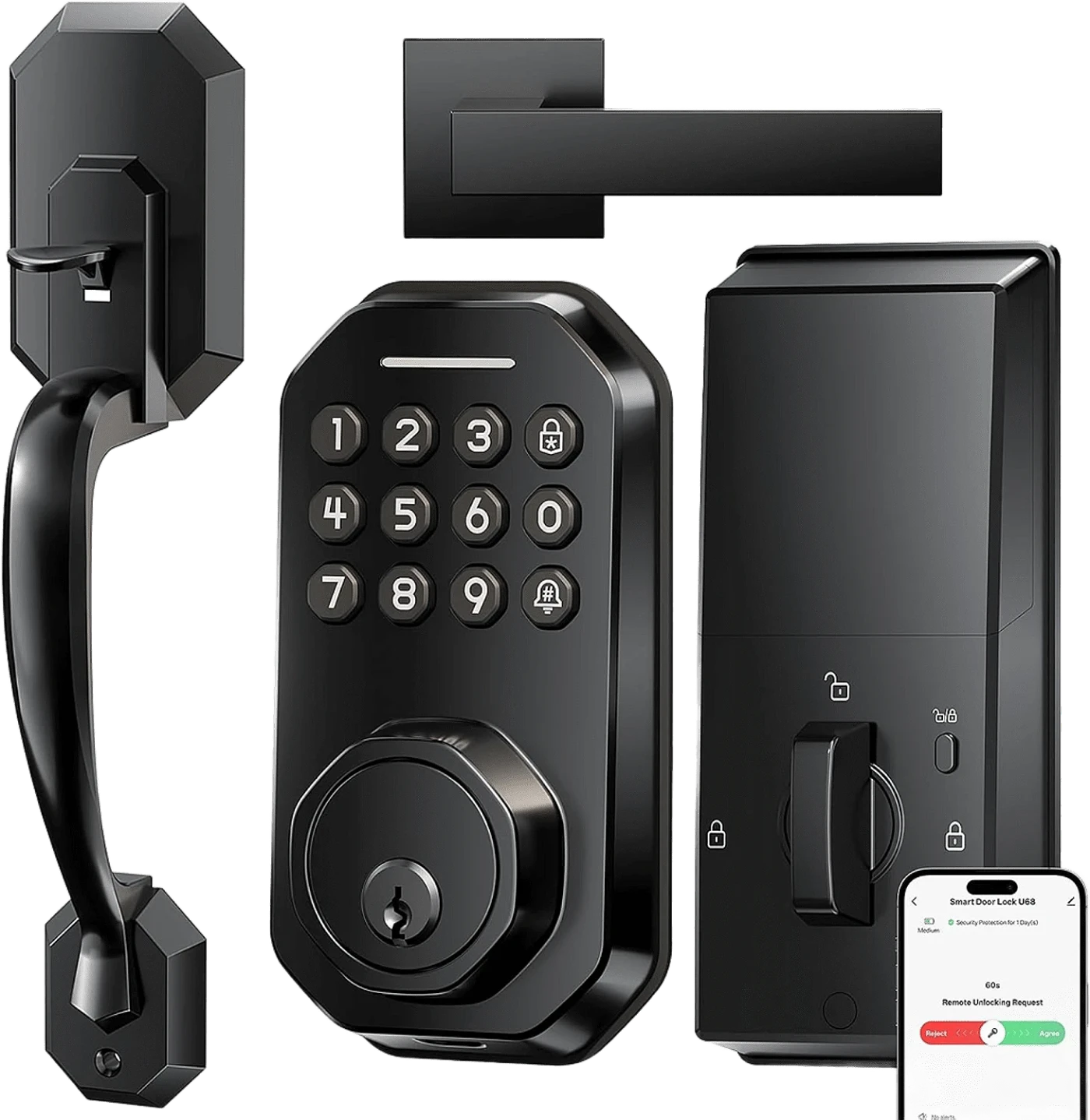

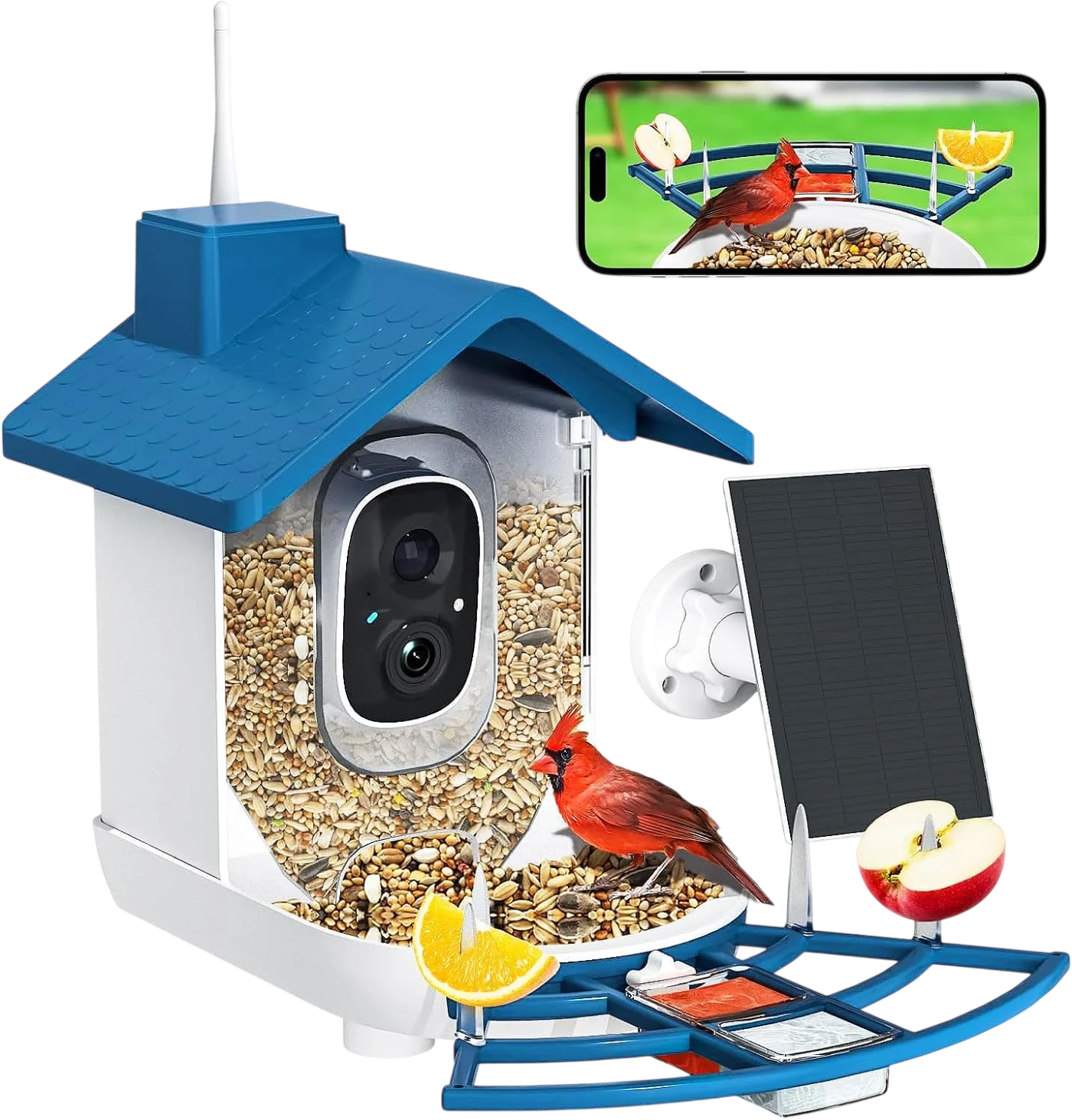
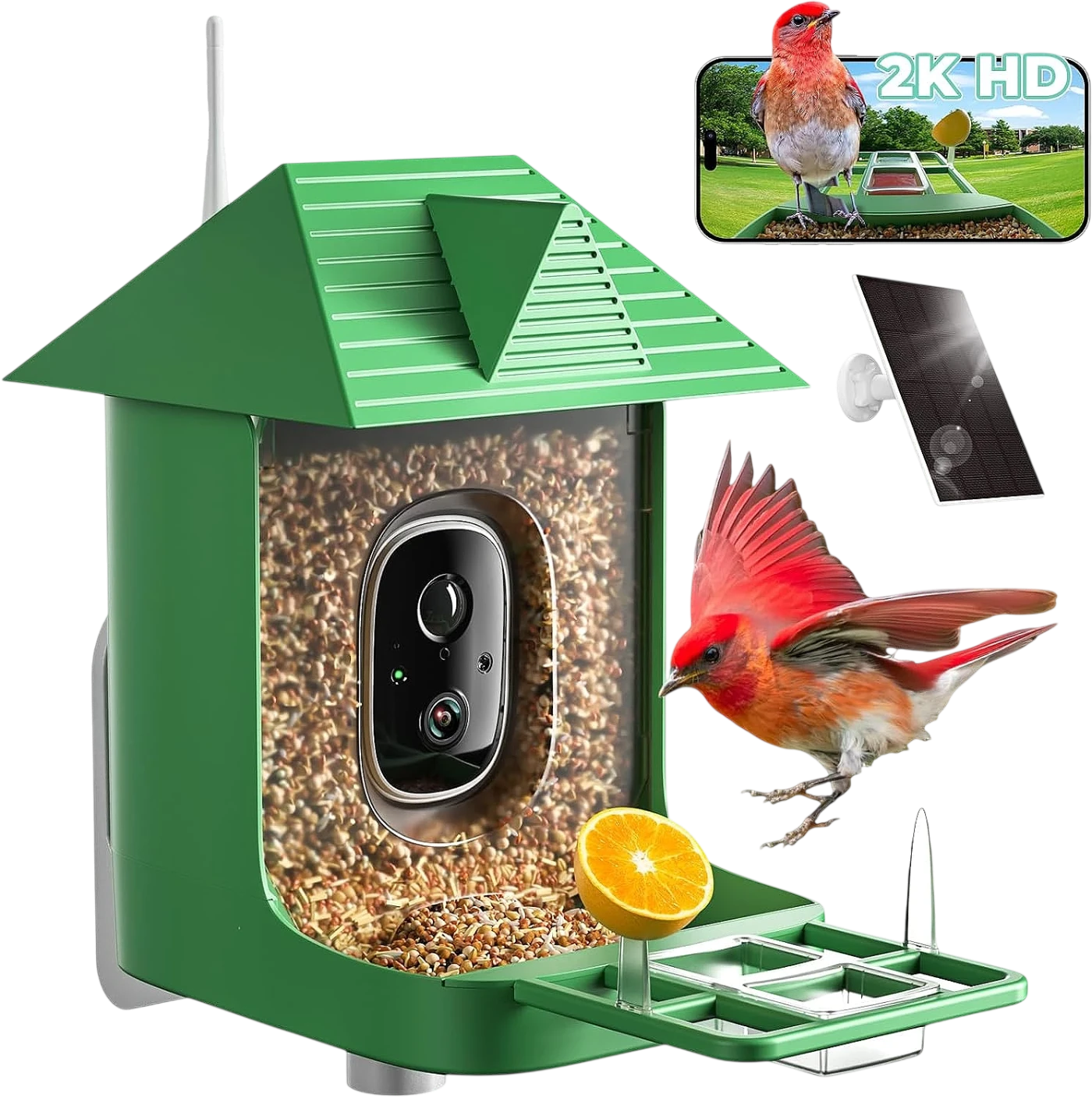
Ready to upgrade your setup?
Browse the gadgets we actually tested and stand behind.